
In the past, building a website required technical knowledge across many different areas, including domains, hosting, design, software development, mobile responsiveness, and SEO. Even for a small business, launching a professional website could mean weeks of meetings, high costs, and complicated technical processes.
By 2026, that process has changed significantly.
You can now describe your business, target audience, and the kind of website you want in a few sentences, then ask an AI-powered system to create a publishable website within minutes.
AI can:
- Define the website's page structure.
- Write headings and descriptive copy.
- Create appropriate sections.
- Suggest colors and fonts.
- Prepare a mobile-responsive design.
- Add contact and conversion areas.
- Generate basic SEO settings.
- Publish the website on a subdomain or your own domain.
However, building a website with AI does not simply mean entering one command and publishing the first design it produces.
A successful website should clearly communicate the business's purpose, build trust with visitors, work flawlessly on mobile devices, and guide users toward a specific action, such as making a phone call, sending a WhatsApp message, booking an appointment, submitting a quote request, or completing a purchase.
In this guide, we will cover the entire AI website creation process step by step, from the initial idea to publication.
In brief: To build a website with AI, explain what your business does, who your target audience is, which services you want to present, and what action you want visitors to take. The AI website builder creates an initial design and content based on this information. You can then review the copy, images, contact details, and SEO settings before publishing the website.
What Does Building a Website with AI Mean?
Building a website with AI is the process of automatically transforming a user's natural-language instructions into a website design, page structure, and content.
Instead of opening a blank page and designing every section one by one, as in traditional methods, the user writes a prompt describing the desired result.
For example:
Create a modern website for a boutique coffee shop in Kadıköy. The homepage should include our products, an about section, customer reviews, location, and contact details. Visitors should be able to place orders through WhatsApp.
Build a site with this prompt
AI can extract the following information from this description:
- The type of business
- The service area
- The target customer profile
- The desired design style
- The required pages
- The necessary content sections
- The primary conversion goal
- The communication channel to use
It then uses this information to create an initial website.
The first version generally includes:
- A navigation menu
- A primary heading and supporting description
- Service or product sections
- Images
- An about section
- Customer reviews
- Frequently asked questions
- Contact information
- Call-to-action buttons
- A mobile-responsive page layout
AI therefore removes the blank-page problem from the website creation process. It gives the user a complete starting point.
However, the first version produced by AI should not be treated as the final version. The strongest results come from improving the AI-generated structure with real business information, original visuals, and accurate conversion messaging.
What Is an AI Website Builder?
An AI website builder is a traditional website builder enhanced with artificial intelligence. The user describes the business in natural language, and the tool generates the page structure, initial copy, and design. Many steps that are manual in conventional tools—such as selecting a template, adding sections, and writing content—become automated.
This guide summarizes the AI website builder as part of the overall process. For a detailed explanation of its definition, how it works, features, and selection criteria, see: What Is an AI Website Builder and How Does It Work?.
How Does AI Create a Website?
The way an AI website builder works may vary from one platform to another. However, the basic process usually consists of four stages.
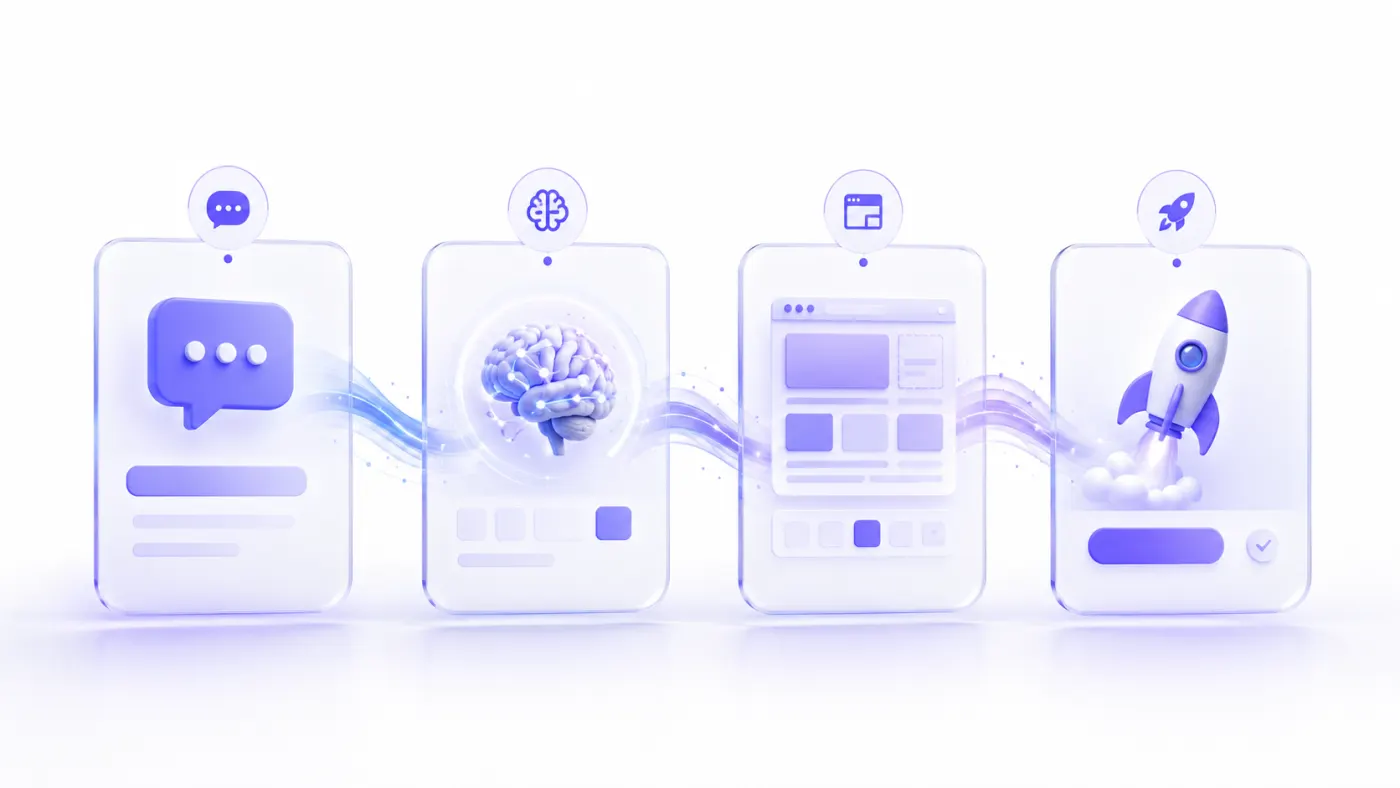
1. Understanding the user's request
The system first analyzes the user's prompt.
It identifies information such as:
- Business category
- Brand name
- Products or services
- Target customer
- Location
- Design style
- Requested pages
- Contact options
- Conversion goal
A law firm serving corporate clients in Istanbul should not be approached with the same design system as a coffee shop targeting university students.
AI attempts to understand the business context and determine an appropriate content and design direction.
2. Creating the page structure
In the second stage, the website's information architecture is prepared.
For example, the following pages may be suggested for a dental clinic:
- Home
- Treatments
- Our Dentists
- About the Clinic
- Patient Reviews
- Frequently Asked Questions
- Contact
- Book an Appointment
A restaurant may require a different structure:
- Home
- Menu
- About Us
- Gallery
- Reservations
- Location and Contact
A website's success does not depend only on visual design. The page structure must also be correct so visitors can quickly find the information they need.
3. Generating content and design
Once the page structure has been defined, content is created for each section.
At this stage, AI can generate:
- Main headings
- Supporting descriptions
- Service introductions
- Button copy
- Trust signals
- Frequently asked questions
- Contact prompts
At the same time, it can prepare a color palette, typography, spacing system, cards, and image placements.
4. Turning it into a publishable website
In the final stage, the generated structure is converted into a website that runs in a browser.
Depending on the platform, the user may:
- Use a free subdomain.
- Connect a custom domain.
- Enable a secure SSL connection.
- Update content from a management panel.
- Republish changes.
At this point, the AI-generated project becomes a real website that visitors can access.
Differences Between a Traditional Website and an AI-Generated Website
AI site builders are not exactly the same as custom software development or professional web design services.
Each method has different use cases.
| Criterion | AI site builder | Traditional web design | Custom software development |
|---|---|---|---|
| Time to get started | Minutes or hours | Days or weeks | Weeks or months |
| Technical knowledge required | Low | Depends on the system | High |
| Initial cost | Generally lower | Medium | Higher |
| Level of customization | Limited to platform features | Medium or high | Very high |
| Content creation | Can be AI-assisted | Usually manual | Depends on the project |
| Ease of maintenance | Usually easy | Depends on the system | May require a technical team |
| Time to publish | Fast | Moderate | Longer |
| Custom business processes | May be limited | Partially possible | Can be fully developed |
| Suitability for small businesses | High | High | Depends on the need |
| Suitability for complex platforms | Limited | Limited | High |
When should you choose an AI site builder?
An AI website builder is generally a sensible option for:
- Corporate brochure websites
- Small business websites
- Service websites
- Restaurant websites
- Digital menus
- Portfolios
- Event pages
- Campaign landing pages
- Personal websites
- Simple blogs
- Early-stage startup websites
- MVP pages for quickly testing a business idea
When should you choose custom software?
The following needs may require a more comprehensive software development process:
- Marketplaces
- Multi-vendor e-commerce systems
- Custom membership and authorization flows
- Complex payment processes
- Logistics or operations management
- Custom reporting dashboards
- Advanced CRM or ERP integrations
- Platforms that share infrastructure with a mobile application
- Intensive data processing
- Industry-specific business rules
The right approach is to answer “What do I actually need?” before asking “Which technology is the most powerful?”
Who Can Build a Website with AI?
One of the major advantages of AI website builders is that they can be used by people without technical knowledge.
Small businesses
Hair salons, beauty salons, restaurants, cafés, boutiques, repair shops, consultants, and local service businesses can quickly establish a digital presence.
Freelancers
Developers, designers, photographers, architects, instructors, and content creators can showcase their portfolios.
Professional service providers
Lawyers, doctors, dietitians, psychologists, accountants, and consultants can present their services, expertise, and contact information.
Entrepreneurs
A demand-generation page can be created for a new business idea before spending weeks developing the product.
E-commerce businesses
Depending on the tool's e-commerce capabilities, product pages, collections, and sales flows can be created.
Agencies
Agencies can use AI to create first drafts faster, visualize client ideas, or manage lower-scope projects.
Students and individual users
Projects such as résumé websites, personal blogs, project presentations, or event pages can be prepared.
How to Build a Website with AI
Follow the process below to achieve a professional result.
1. Define the goal of the website
Before creating the website, answer this question clearly:
What should a visitor do after arriving on my website?
Possible goals include:
- Make a phone call
- Send a WhatsApp message
- Submit a quote request form
- Book an appointment
- Make a reservation
- Purchase a product
- View a menu
- Browse a portfolio
- Join an email list
- Download an app
- Visit a physical store
A website can serve more than one purpose at the same time. However, the homepage should have one dominant conversion goal.
For example, the primary goal of a dental clinic may be to collect appointment requests, a restaurant may aim to generate reservations or orders, and a software company may want to collect project inquiries.
2. Prepare your business information
The more accurate information you provide to the AI, the stronger the first result will be.
Before getting started, prepare the following:
- Business name
- Slogan
- Industry
- Cities or regions served
- List of products and services
- Target customer profile
- Competitive advantage
- Contact information
- Address
- Opening hours
- Social media accounts
- Logo
- Brand colors
- Real photographs
- Customer reviews
- Certifications or achievements
- Frequently asked questions
Not all of this information needs to appear in the first prompt. However, it should be added to the website before publication.
3. Choose the AI website builder you will use
Do not evaluate a tool only by the first design it generates.
Consider the following features:
- Turkish-language support
- Ease of use
- Mobile responsiveness
- Ability to edit text
- Design customization
- Adding new pages
- Connecting a custom domain
- SSL
- SEO settings
- Form and WhatsApp support
- Blog management
- E-commerce support
- Data portability
- Customer support
- Pricing
- Ease of updating the site after publication
A system may look attractive but create long-term problems if its text cannot be edited easily.
4. Write a detailed prompt
A generic instruction such as “Build me a website” produces a generic result.
A good prompt should include:
- Business type
- Business name
- Target audience
- Location
- Services offered
- Design style
- Requested pages
- Requested sections
- Primary CTA
- Preferred contact method
- Brand colors, if any
Example:
Create a modern and trustworthy website for Nova Pilates, located in Ataşehir, Istanbul. Our target audience is women aged 25–45. We offer reformer Pilates, private lessons, and prenatal Pilates. The homepage should include a strong headline, services, instructors, studio photographs, customer reviews, frequently asked questions, and a contact section. The main button should say “Book a Free Trial Class” and direct users to WhatsApp. The design should feel bright, spacious, and premium.
Build a site with this prompt
5. Generate the first draft
After submitting the prompt, AI creates the first version of the website.
At this stage, rather than expecting the design to be perfect, check the following fundamentals:
- Has the business sector been understood correctly?
- Is the page order logical?
- Is the main heading clear?
- Is the primary button visible?
- Are the services presented correctly?
- Is the design appropriate for the target audience?
- Is the mobile layout usable?
The first draft is the foundation for later revisions.
6. Refine the page structure
Every business has different needs.
Remove unnecessary pages and add missing ones.
A simple service business may only need:
- Home
- About Us
- Services
- Frequently Asked Questions
- Contact
A more comprehensive business may need a separate page for each service.
For example, an aesthetic clinic may create separate service pages for:
- Rhinoplasty
- Hair Transplantation
- Medical Aesthetics
- Cosmetic Dentistry
This structure can improve both the user experience and SEO potential.
7. Make the copy specific to your business
AI-generated copy is often a useful starting point. However, generic statements without real information do not build trust.
Instead of this generic statement:
We provide our customers with the best solutions through our commitment to quality service.
Build a site with this prompt
use a more specific explanation:
At our Ataşehir studio, we hold reformer Pilates classes in groups of no more than four. We prepare an individual program for every member based on their goals and physical condition.
Build a site with this prompt
The second version is stronger because it:
- Includes a location.
- Explains the service.
- States the group size.
- Shows what makes the business different.
- Tells the user what to expect.
Characteristics of strong website copy
- Clear and easy to understand
- Avoids unnecessary technical language
- Defines the user's problem
- Explains the solution offered
- Provides specific information
- Builds trust
- Guides the user toward a clear action
8. Add real visuals and trust signals
AI-generated images can be used during the initial stage. However, real photographs generally build more trust for local businesses.
You can add images of:
- The outside of the business
- The interior
- Team members
- Products
- The service process
- Before-and-after examples
- Completed projects
- Menu or product presentations
Trust signals may include:
- Real customer reviews
- Google review rating
- Client logos
- Number of completed projects
- Years of experience
- Certifications
- Media coverage
- A physical address
- A landline telephone number
- Company information
- Privacy and legal pages
9. Check the mobile layout
Reviewing the website only on a desktop screen is a major mistake.
Test the following on mobile:
- Do headings fit on the screen?
- Is the text easy to read?
- Are buttons easy to tap?
- Does the menu open easily?
- Do images overflow?
- Can form fields be used comfortably?
- Do the phone and WhatsApp buttons work?
- Does the page load quickly?
- Do fixed elements cover the content?
A significant share of local-business visitors access websites on their phones. Mobile experience is therefore not a secondary feature to be considered after desktop design.
10. Connect the domain and publish
Once the website is ready, you can publish it on the platform's free subdomain or connect your own domain.
Example free subdomain:
business-name.platform-name.com
Custom domain:
businessname.com
Using your own domain creates a stronger professional brand perception.
Complete this final checklist before publishing:
- Is the contact information correct?
- Do all buttons work?
- Are form notifications being delivered?
- Does the phone link work?
- Is the WhatsApp number correct?
- Are social media links correct?
- Have spelling errors been corrected?
- Has the mobile layout been checked?
- Have page titles been entered?
- Are meta descriptions ready?
- Has a favicon been added?
- Is SSL active?
- Has a privacy notice been added?
Prompts, Page Structure, and Customization
How to Write the Ideal Website Prompt
A good prompt reduces the amount of information AI has to guess. For more ready-made examples, see 50+ AI Prompt Examples for Building a Website.
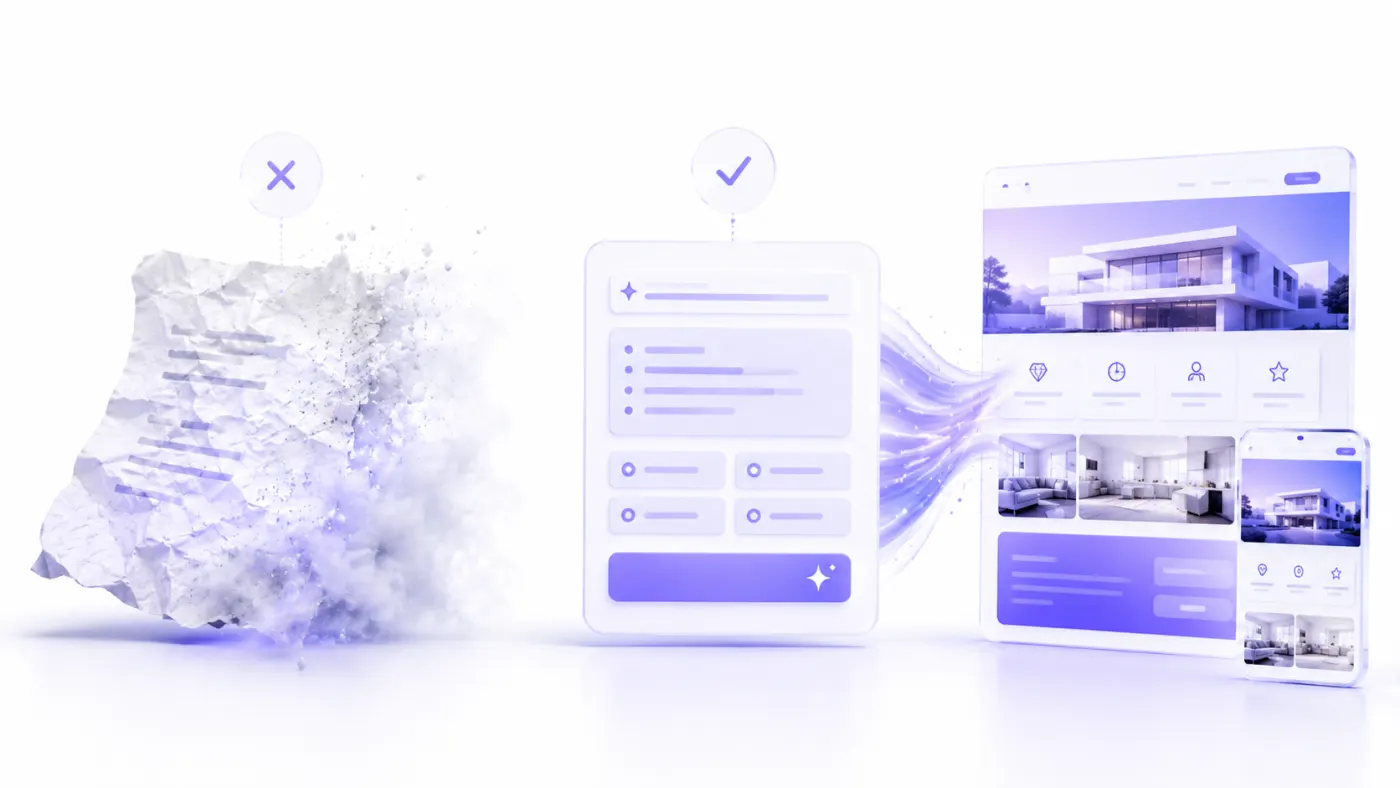
You can use the following formula:
Create a [type of business] website for [business name]. The business serves customers in [location]. The target audience is [target customer]. Our main services are [services]. The design should feel [design style] and use [colors]. The homepage should include [sections]. The primary conversion goal should be [desired action]. The main button should say [CTA copy] and link to [destination link].
Build a site with this prompt
Components of a good prompt
| Component | Description | Example |
|---|---|---|
| Business type | What kind of business it is | Dental clinic |
| Location | The area it serves | Kadıköy, Istanbul |
| Target audience | Who the business serves | Families with children |
| Services | List of primary services | Implants, orthodontics, pediatric dentistry |
| Brand personality | How the brand should be perceived | Trustworthy, modern, welcoming |
| Design style | Visual direction | Minimal and premium |
| Colors | Preferred palette | White, navy blue, and light blue |
| Pages | Required pages | Home, treatments, dentists |
| Sections | Homepage content | Reviews, team, FAQ |
| Conversion goal | The visitor's intended action | Appointment request |
| CTA | Button copy | Book an Appointment |
Bad prompt example
Build a beautiful restaurant website.
This prompt does not specify the restaurant type, location, target audience, design style, or desired features.
Improved prompt example
Create a website for a modern Turkish meyhane called “Masa & Meze” in Çankaya, Ankara. Our target audience includes groups of friends, couples, and customers looking for corporate dinner events. The homepage should feature a large atmosphere image, featured meze dishes, the menu, an about section, customer reviews, events, reservations, and location information. The design should feel premium and use dark navy blue, cream, and warm copper tones. The main button should say “Reserve a Table” and link to the reservation form.
Build a site with this prompt
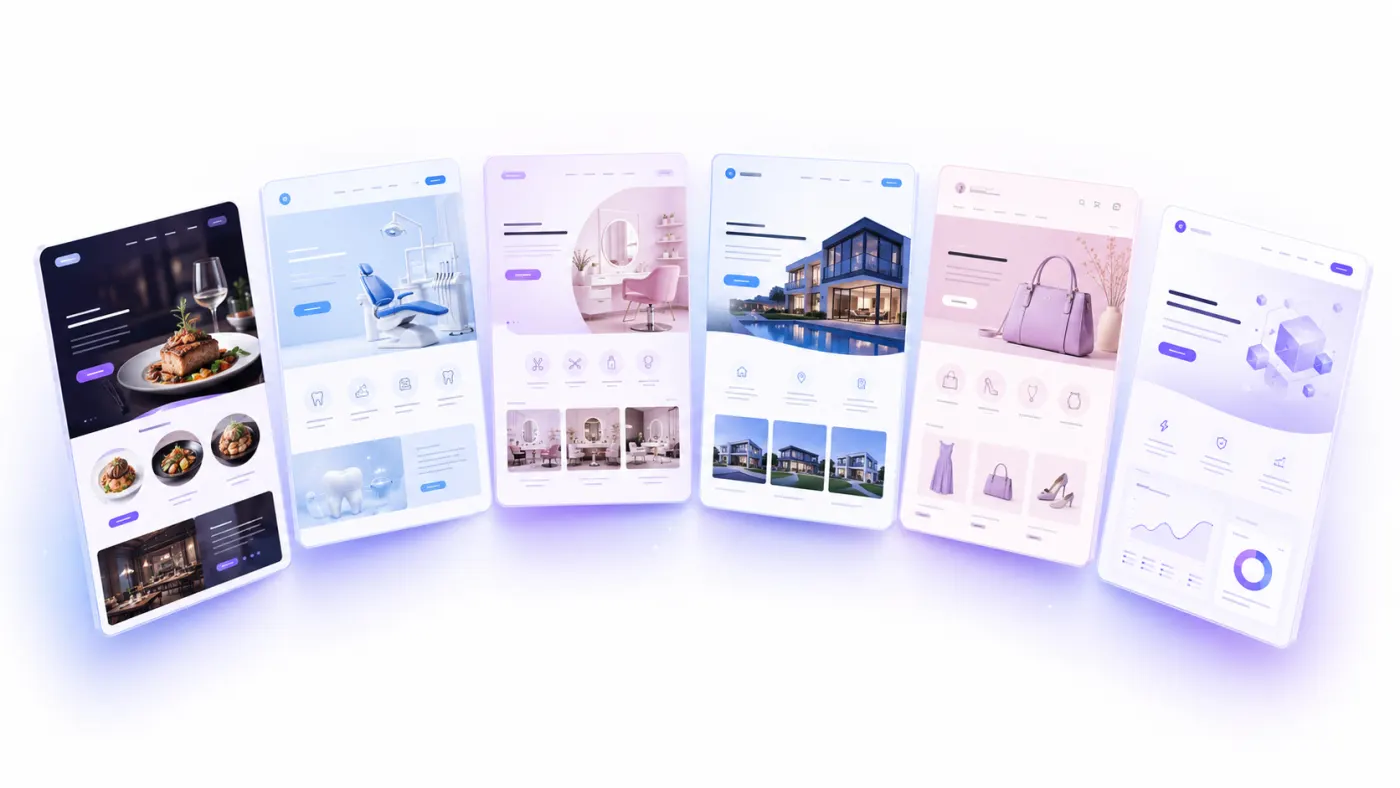
AI Website Prompt Examples
Below are several short examples. You can find more than 50 ready-made prompts for restaurants, clinics, real estate, e-commerce, and corporate websites in the detailed library: Website Prompt Examples.
Restaurant website prompt
Create a warm and modern website for a family restaurant in Nilüfer, Bursa. We serve grilled dishes, traditional Turkish cuisine, and daily home-style meals. The homepage should include a large restaurant image, featured dishes, a digital menu, an about section, customer reviews, opening hours, a map, and a reservation section. The main button should say “View the Menu.” A secondary button should direct users to make a reservation through WhatsApp. Use cream, dark green, and warm wood tones.
Build a site with this prompt
Beauty salon website prompt
Create a modern website for a premium beauty salon serving women in Ataşehir, Istanbul. We offer skincare, laser hair removal, body contouring, and permanent makeup. Use light beige, white, and elegant pink tones. The homepage should include services, salon photographs, our expert team, promotions, customer reviews, frequently asked questions, and a contact section. The main button should say “Book a Free Consultation” and direct users to WhatsApp.
Build a site with this prompt
Dental clinic website prompt
Create a professional and trustworthy website for a modern dental clinic in Izmir. We offer dental implants, orthodontics, smile design, pediatric dentistry, and teeth whitening. The homepage should include treatments, our dentists, clinic photographs, patient reviews, the treatment process, frequently asked questions, and online appointment booking. Use white, light blue, and navy blue tones for a bright and spacious appearance. The primary CTA should be “Book an Appointment.”
Build a site with this prompt
Which Pages Should a Business Website Include?
Although every website has different requirements, business websites should generally include several essential pages.
Home
The homepage should explain what the business does within a few seconds.
The first screen should answer:
- What does this business offer?
- Who does it serve?
- Why should it be chosen?
- What is the next step?
The first screen should include a clear promise, trust signals, and one primary action, such as calling, sending a WhatsApp message, booking an appointment, or requesting a quote. Section order varies by industry; for a detailed no-code workflow, see the guide to building a website without coding.
About Us
The About Us page should do more than state the company's founding date.
It should explain:
- Why was the business founded?
- What problem does it solve?
- How does it work?
- What experience does the team have?
- What are the business's values?
- Why should customers trust it?
Services
Simply listing service names on the Services page is not enough.
For each service, you can provide:
- The scope of the service
- Who it is suitable for
- The benefits it provides
- How the process works
- Estimated duration
- Frequently asked questions
- A relevant CTA
Creating separate pages for services with strong search potential can be beneficial.
Contact
The contact page may include:
- Phone
- Full address
- Map
- Opening hours
- Contact form
- Social media links
Frequently Asked Questions
An FAQ section reduces the uncertainty users may have before making a purchase decision.
Questions should come from real customer conversations.
Examples:
- How long does the service take?
- How is pricing calculated?
- Which areas do you serve?
- How can I book an appointment?
- What is the cancellation policy?
- Which payment options are available?
Blog
For businesses capable of publishing consistently, a blog can demonstrate expertise, attract search traffic, and educate potential customers.
Simply opening a blog is not enough. Content should answer real user questions and be updated regularly.
Legal pages
Depending on the business model and the data it collects, the following pages may be required:
- Privacy Policy
- Cookie Policy
- KVKK Disclosure Notice
- Terms of Use
- Distance Sales Agreement
- Returns and Cancellation Policy
The required documents may vary according to the business's activities. Legal copy should be reviewed by a qualified professional.
How to Customize an AI-Generated Website
An AI-generated design is a starting point. It should be adapted to reflect the brand.
Logo and brand name
Prepare logo versions that are readable on both light and dark backgrounds.
The logo should not be excessively large in the navigation area. The brand name and main menu should remain easy to see.
Color palette
Instead of using too many colors, create a controlled system:
- One primary brand color
- One secondary color
- One accent color
- Text colors
- Background colors
- Border colors
The CTA button should have sufficient contrast against the background.
Fonts
Using more than two or three fonts on a website is generally unnecessary.
A simple system may include:
- A heading font
- A body font
- An optional accent font
Readability should come before aesthetic preference.
Visual language
The visuals used across the website should be consistent.
Uncontrolled mixing of real photography, 3D renders, illustrations, and stock imagery can undermine the site's visual cohesion.
Button system
Buttons with the same level of importance should look similar.
Example:
- Primary button: “Try for Free”
- Secondary button: “How It Works”
- Text link: “Learn More”
Rather than using a different button shape in every section, use a consistent design system.
SEO, Technical Infrastructure, and Integrations
Mobile Responsiveness and Website Performance
Mobile responsiveness means a website works correctly across different screen sizes.
A responsive website adapts to:
- Desktop computers
- Laptops
- Tablets
- Smartphones
Mobile design considerations
- Body text should be easy to read.
- Headings should not turn into excessively long lines.
- Buttons should be large enough to tap comfortably.
- Form fields should work well with mobile keyboards.
- The menu should be simple.
- Images should display at the correct proportions.
- Horizontal scrolling should not occur.
- Pop-ups should not cover the content.
Factors that affect performance
Website speed can be affected by:
- Large image files
- Unnecessary videos
- Too many external fonts
- Heavy animations
- Unused JavaScript
- Slow server response times
- Unoptimized third-party tools
- Too many tracking scripts
Image optimization
Before uploading images:
- Resize them to the appropriate dimensions.
- Avoid unnecessarily high resolutions.
- Consider modern file formats.
- Use descriptive filenames.
- Add alt text.
- Make sure the primary image is not unnecessarily lazy-loaded.
Example filename:
atalay-ai-website-builder-screen.webp
Example alt text:
Website creation screen using artificial intelligence with Atalay AI
SEO for an AI-Generated Website
SEO is the collection of practices that helps search engines understand a website and improves its potential to appear for relevant searches.
AI can prepare basic SEO fields. However, lasting success cannot be guaranteed through automatically generated text alone.
The most important SEO principle is to provide an accurate and useful answer to the visitor's query.
1. Write a unique title for every page
A page title tells both the user and the search engine what the page is about.
Bad example:
Home
Better example:
Reformer Pilates Studio in Ataşehir | Nova Pilates
The title should accurately reflect the page content.
2. Create a meta description
A meta description briefly summarizes the page.
Example:
Discover reformer Pilates, private sessions, and prenatal Pilates programs in Ataşehir. Contact Nova Pilates to book a free trial class.
Build a site with this prompt
The meta description should not mislead users and should reflect the actual page content.
3. Use a correct heading hierarchy
A page should generally contain one primary H1 heading.
For subtopics, use:
- H2
- H3
- H4
in a logical order.
Heading tags should not be used merely to enlarge text.
4. Understand search intent
The search “What is a dental implant?” has an informational intent.
The search “Dental implant treatment in Istanbul” is closer to a service-purchase intent.
Instead of trying to answer both users with the same page, create different content types:
- An informational blog post
- A service page
- A location-focused service page
5. Create original and useful content
AI-generated content should be reviewed before publication.
Add:
- Real information about the business
- Experience
- Examples
- Process explanations
- Expert opinions
- Real images
- Customer questions
- Industry-specific details
Rather than simply rephrasing generic information found on other sites, aim to provide additional value to the user.
6. Use internal links
Connect related pages to one another.
For example, the main guide can link to:
- What Is an AI Website Builder?
- Build a Website for Free with AI
- Website Development Costs in 2026
- Website Prompt Examples
- Best AI Website Builder Tools
Anchor text should clearly describe the page it links to.
7. Add alt text to images
Alt text describes the content of an image.
Bad example:
image1
Better example:
Mobile-responsive restaurant website design created with AI
Describe the image naturally instead of repeating keywords without meaning.
8. Use a clean URL structure
Complex URL:
/blog/article?id=19827&category=4
Clearer URL:
/blog/build-a-website-with-ai
URLs should be short, descriptive, and stable.
9. Complete local SEO information
Local businesses should use the following information consistently across the website:
- Business name
- Address
- Phone number
- Opening hours
- Service area
- Map
- Directions
- Local service descriptions
The contact information on the website should be consistent with the Google Business Profile.
10. Use structured data
Depending on the project, consider the following structured data types:
- Organization
- LocalBusiness
- Product
- Service
- Article
- BreadcrumbList
- FAQPage
Structured data should not be used to mark up information that is not visible on the page or services that are not actually offered.
SEO checklist
- Every page has a unique title.
- Every page has a descriptive meta description.
- The page has a clear H1 heading.
- The heading hierarchy is correct.
- The URL structure is short and descriptive.
- Images have been optimized.
- Images have alt text.
- The mobile layout has been checked.
- Internal links have been added.
- Contact information is consistent.
- A sitemap has been created.
- Robots settings have been checked.
- Canonical URLs are correct.
- HTTPS is active.
- Broken links have been checked.
- Search-engine measurement tools have been connected.
The Relationship Between SEO and AI Search Visibility
In 2026, users obtain information not only through traditional search results but also through AI-powered search experiences.
Content therefore needs to be easy for both people and machines to understand.
To support this:
- Define your business clearly.
- Explain services under separate headings.
- Present your pricing model as transparently as possible.
- Specify the areas you serve.
- Answer questions directly.
- Use current date information.
- Add indicators of expertise and experience.
- Clearly identify the author and business.
- Avoid contradictory information.
- Use consistent terminology across pages.
Producing hundreds of low-value pages solely to target keywords is not an effective AI-visibility strategy.
The core approach should be to create clear, trustworthy, verifiable, and user-focused content.
What Are a Domain, Hosting, and SSL?
Three terms you will frequently encounter when building a website are domain, hosting, and SSL.
Domain
A domain is the address users enter to reach a website.
Example:
atalay.ai
A good domain should:
- Be short.
- Be easy to type.
- Be easy to pronounce.
- Match the brand.
- Avoid unnecessary hyphens and numbers.
- Not be confused with another brand.
Hosting
Hosting is the infrastructure on which a website's files and data run.
Many AI website builders include hosting in their plans, so the user does not need to configure a separate server.
When choosing a tool, review:
- Performance
- Security
- Backups
- Traffic limits
- Storage
- Support
- Server locations
- Uptime
SSL
SSL encrypts the connection between the user and the website.
When SSL is active, the website address generally starts with https://.
Using HTTPS is a fundamental requirement for a modern, professional website.
When selecting an AI website builder, confirm that SSL is included.
Which Integrations Can Be Added to a Website?
A website is not used only to present information. It can work together with a business's sales and communication processes.
A WhatsApp button allows visitors to contact the business with one tap.
A prewritten message can be added to the link:
Hello, I am contacting you through your website. I would like more information about your services.
Build a site with this prompt
Contact form
Avoid unnecessary form fields.
For a simple quote form, the following may be sufficient:
- Full name
- Phone
- Service of interest
- Message
Appointment system
Calendar integrations can be used by doctors, consultants, beauty salons, instructors, and service businesses.
Map
Businesses with a physical location should add a map and directions link.
Analytics
Analytics tools can help you understand which pages visitors view and which actions they complete.
Trackable events may include:
- Form submission
- Phone click
- WhatsApp click
- Purchase
- Appointment booking
- Email click
- File download
CRM
Leads generated through forms can be transferred to a CRM system.
This allows the business to:
- Create a new lead.
- Assign an owner.
- Set reminders.
- Store conversation history.
- Track the quotation process.
Email marketing
Newsletter subscriptions or campaign forms can be connected to email systems.
Users should be provided with a clear consent mechanism, and relevant data-protection rules must be followed.
Payment
E-commerce businesses or companies selling services can use payment infrastructure.
The payment process should account for:
- Secure connection
- Clear pricing
- Return conditions
- Distance sales information
- Order confirmation
- Invoicing process
Advantages, Disadvantages, and Choosing the Right Solution
Advantages of Building a Website with AI
Fast start
AI significantly reduces the time required to move from a blank page to a publishable first draft.
Reduced need for technical knowledge
It helps users create websites without knowing HTML, CSS, JavaScript, or server management.
Easier content creation
It can generate a starting point for headings, service descriptions, CTA copy, and frequently asked questions.
Lower initial cost
For simple corporate websites, it can provide a more accessible starting point than custom software development.
Ability to test quickly
Entrepreneurs can create a landing page for a business idea and begin collecting demand within a short time.
Easy updates
The ability to change content through a dashboard or chat interface can reduce dependence on a technical team.
Design guidance
AI can suggest colors, typography, and page layouts to users who do not know where to begin.
Ability to generate multiple versions
Different headings, designs, or page structures for the same website can be tested quickly.
Disadvantages of Building a Website with AI
The first result may look generic
A weak prompt may produce a generic design that resembles many other websites.
Risk of generating inaccurate information
AI may guess information it does not know about the business. All copy should be verified before publication.
Platform limitations
Custom workflows or complex features may not be supported by the platform.
Weak brand identity
If no logo, real photographs, authentic story, or original content is added, the website may not feel specific to the brand.
Portability problems
Some platforms make it difficult to move the website to another infrastructure.
Overreliance on the first draft
Publishing an AI-generated website without testing it can lead to broken links, generic copy, and weak conversion rates.
Legal and industry-specific risks
In healthcare, law, finance, and similar industries, AI-generated statements should not be published without expert review.
Common Mistakes When Building a Website with AI
1. Writing an overly short and vague prompt
Insufficient information produces generic results.
Explain the business type, target audience, location, services, and primary goal.
2. Publishing the first design immediately
Review the initial draft, replace generic information with real details, and test all links.
3. Using fabricated customer reviews
Publishing fake customer reviews can create serious trust and reputational problems.
Use only genuine and verifiable reviews.
4. Failing to add real contact information
Phone, address, email, and opening hours should be presented clearly.
5. Not checking the mobile layout
A website that looks good on desktop may be unusable on mobile.
6. Using a different CTA in every section
Define the primary objective and use a consistent CTA system.
7. Using too many animations
Animations should support the design rather than make content harder to access.
8. Leaving generic AI copy unchanged
Instead of phrases that could apply to any company, such as “the home of quality and trust,” provide specific information.
9. Forgetting legal pages
Prepare the required documents based on the data you collect and your sales model.
10. Failing to install measurement systems
Track where visitors come from and whether they convert.
11. Not updating the website after publication
Prices, services, team information, opening hours, and campaigns should remain current.
12. Treating SEO as keyword repetition
SEO is a combination of useful content, technical accessibility, user experience, trust, and continuous improvement.
How to Choose the Right AI Website Builder
In 2026, many AI website builders focus on different needs.
Some prioritize fast small-business websites, some offer deeper visual design control, some use WordPress infrastructure, and others focus on e-commerce.
Ask the following questions when choosing the right tool.
Is it genuinely easy to use?
Updating the website should be as easy as creating it.
Test the following actions:
- Change a heading
- Replace an image
- Add a new section
- Reorder sections
- Edit the mobile layout
- Create a new page
- Republish the website
Does it understand Turkish content well?
The ability to understand Turkish prompts correctly and produce natural copy is a major advantage for local businesses.
Can you edit individual pieces of content?
You should be able to change a specific heading, description, or button rather than regenerating the entire page.
Is it mobile-responsive?
Test published websites on different phones.
Can you edit SEO fields?
Access to the following fields is useful:
- Page title
- Meta description
- URL
- Alt text
- Canonical
- Robots settings
- Sitemap
- Redirects
Can you connect your own domain?
A free subdomain may be sufficient for testing. For professional publishing, you should be able to use your own domain.
Does it provide SSL?
Custom domains should support HTTPS.
Does it support the integrations you need?
Evaluate your requirements for WhatsApp, forms, reservations, payments, analytics, and CRM.
Are your data and website portable?
Learn how you can export content if you later want to change platforms.
Is pricing transparent?
Review possible additional costs for:
- Domain
- E-commerce
- Additional users
- Traffic
- Storage
- AI usage allowance
- Multiple languages
- Transaction fees
- Premium integrations
Is support available?
Accessible support channels are especially important for businesses that accept payments or collect customer inquiries.
Types of AI Website Builders in 2026
AI site builders should not be treated as one uniform category.
Fast small-business website builders
These tools aim to create a corporate website quickly after collecting basic business information.
They are suitable for:
- Restaurants
- Hair salons
- Consultants
- Local service businesses
- Small companies
- Portfolios
Design-focused builders
These tools offer greater visual control, animation, and detailed editing.
They may be more suitable for designers, agencies, and marketing teams.
WordPress-based AI builders
These platforms provide an AI-assisted starting point for businesses that want to use the WordPress ecosystem.
Plugin flexibility and content management may be valuable, but maintenance and compatibility requirements should also be considered.
E-commerce-focused AI builders
These systems focus on products, collections, payments, inventory, and order management.
A visually attractive homepage is not sufficient for e-commerce. Operational features must also be evaluated.
Prompt-based application builders
Some tools focus on creating web applications with user accounts, databases, or custom functionality rather than content-based websites.
These tools may be more flexible, but production security, maintenance, and technical ownership must be evaluated separately.
All-in-one business platforms
These systems combine a website builder with CRM, finance, project management, or marketing tools.
In this approach, the website becomes more than a published page—it becomes a channel connected to the business's wider operations.
Building a Website with Atalay AI
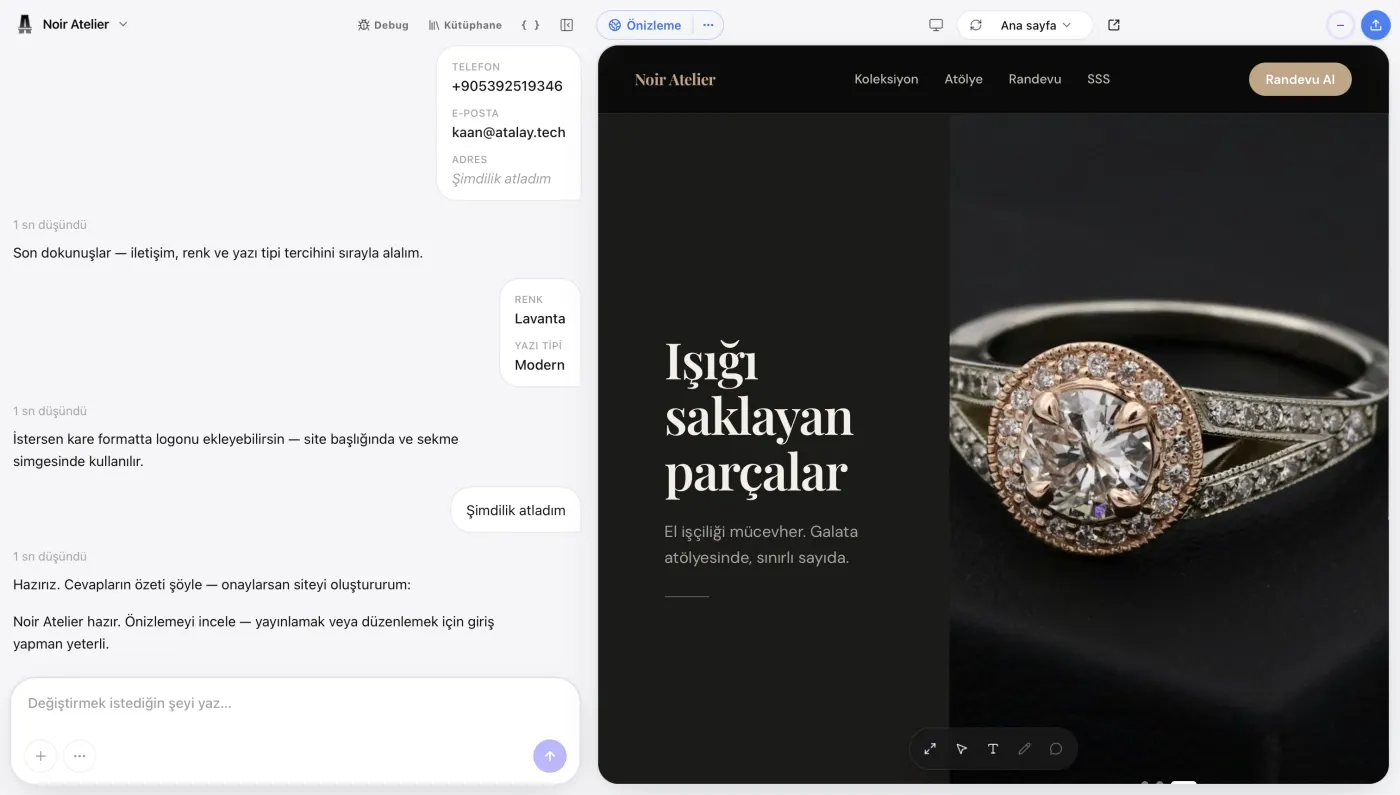
Atalay AI is the AI for Turkish-speaking businesses; its website product is Atalay Website (atalay.website). Your site is built in the atalay.ai chat by talking to Emre, an AI employee. To see the complete process from the first prompt to publication, see How to Build a Website with Atalay AI.
A user can create an initial website by describing the business in one sentence.
Example:
Create a website for a modern beauty salon in Ataşehir. Include our laser hair removal, skincare, and body contouring services. Visitors should be able to request a free consultation through WhatsApp.
Build a site with this prompt
Atalay AI analyzes the business type and request context to create an appropriate website structure.
Types of websites you can create with Atalay AI
- Corporate website
- Small business website
- Landing page
- Digital menu
- Restaurant website
- Service website
- Portfolio
- Campaign page
- Early-stage startup page
Basic creation process
- Tell Emre in the atalay.ai chat what kind of website you want.
- Review the first version generated by AI.
- Edit the copy and visuals.
- Add your business information.
- Check the mobile layout.
- Publish at yourname.atalay.website; from the Professional package upward, connect your own domain.
- Apply future changes with AI assistance.
Setup is free and the first 30 days are a free trial; after that, packages start at ₺490/month, excl. VAT.
Example Atalay AI prompt
Create a premium website for Atölye Meşe, a custom furniture manufacturer in Bursa. We offer kitchens, walk-in closets, TV units, and bespoke furniture. The homepage should include large project images, services, our process, completed projects, customer reviews, and a quote form. Use light beige, dark brown, and white for a modern appearance. The main button should say “Request a Free Site Visit” and direct users to WhatsApp.
Build a site with this prompt
Ready to build your website? Tell Emre about your business in the atalay.ai chat and your website is ready within minutes.
What Should You Do After Publishing the Website?
Publishing is the beginning of the process, not the end.
First 24 hours
- Review every page on desktop.
- Test the website on different phones.
- Submit a form.
- Test the WhatsApp and phone links.
- Check for spelling mistakes.
- Verify the SSL connection.
- Test the social media preview image.
- Confirm that analytics is receiving data.
First week
- Share the website with existing customers.
- Note the questions users ask most frequently.
- Complete missing content.
- Review CTA clicks.
- Submit the sitemap to search engine tools.
- Update the website URL on business profiles.
- Add the link to social media profiles.
First month
- Identify the most visited pages.
- Improve low-performing pages.
- Turn new customer questions into blog topics.
- Expand service pages.
- Add real customer reviews.
- Publish new projects or photographs.
- Measure form conversions.
- Review mobile performance again.
Regular maintenance
Check the following every month:
- Contact information
- Opening hours
- Prices
- Campaigns
- Team members
- Services
- Broken links
- Forms
- Software updates
- Backups
- Security
- Search performance
Can an AI-Generated Website Be Successful?
Yes. However, success depends more on the quality of the resulting experience than on whether the website was created by AI or manually.
A successful website:
- Understands the user's needs.
- Clearly explains what the business offers.
- Builds trust.
- Loads quickly.
- Works on mobile devices.
- Makes communication easy.
- Is accessible to search engines.
- Is updated regularly.
- Contains real information.
- Has a measurable conversion goal.
AI can accelerate this process. However, the business owner still understands the company's real experience, customers, and differentiators better than anyone else.
The strongest result comes from combining the speed of AI with human knowledge and brand understanding.
Frequently Asked Questions
Is it possible to build a website with AI?
Yes. AI website builder tools can use the information you provide about your business to generate a page structure, copy, visual layout, and design, creating a website that can be published.
Do I need coding knowledge to build a website with AI?
No. Most AI website builders are designed for non-technical users. You can create an initial website by describing your business in natural language.
Can I build a website with AI for free?
Some platforms offer free creation or publication on a free subdomain. A paid plan may be required to connect a custom domain, access advanced features, or increase usage limits.
How long does AI take to build a website?
The first draft of a simple corporate website or landing page can be prepared in seconds or a few minutes. Additional work is required to add real information, visuals, SEO settings, and complete testing.
Can an AI website be edited later?
Most modern tools allow you to edit text, images, colors, sections, and pages after generation. Before choosing a tool, check whether it supports editing individual elements and adding new pages.
Are AI-generated websites mobile-responsive?
Many AI website builders create responsive designs. Nevertheless, the website should still be tested manually on different phones and tablets.
Can an AI-generated website appear on Google?
An AI-generated website that is technically accessible, indexable, and contains high-quality content can appear in Google results. Being created with AI is neither a ranking guarantee nor an automatic disadvantage. Content accuracy, usefulness, technical SEO, and competition all matter.
Is AI-generated content suitable for SEO?
AI can create an SEO-friendly starting point. However, content should be reviewed for accuracy, originality, user value, and business-specific information. Generic and repetitive copy may not produce strong results.
Can I connect my own domain?
This depends on the platform. Many professional AI website builders allow custom domain connections on paid plans.
Do I need to purchase hosting separately?
Many website builders include hosting in their plans. WordPress or custom software solutions may require separate hosting.
Is SSL required?
Yes. Modern websites should use HTTPS. When selecting a platform, confirm that SSL is provided for custom domains.
Can AI build an e-commerce website?
Tools with e-commerce support can create product, collection, and sales pages. You should also confirm support for payments, inventory, orders, shipping, taxes, invoicing, and returns.
Can AI build a restaurant website?
Yes. AI can create a restaurant website with menu, gallery, reservations, opening hours, map, contact, and WhatsApp ordering sections.
Is it safe to build a website with AI?
Security depends on the platform's infrastructure. Review HTTPS, access management, backups, data protection, updates, and payment security.
Should I choose an AI site builder or a professional agency?
An AI website builder may be sufficient for simple corporate websites, landing pages, and rapid tests. A professional team may be more suitable for projects requiring custom workflows, complex integrations, or completely original design.
Can an AI website builder create a web application?
Some tools create only content-based websites, while others support web applications with databases and user accounts. The tool's capabilities should be evaluated carefully, especially regarding production security and maintenance.
How should a website prompt be written?
The prompt should clearly state the business type, location, target audience, services, design style, required pages, and the primary action expected from the visitor.
Can I change the text on the generated website?
If the platform supports it, every heading, description, and button label can be edited individually. When choosing a tool, confirm that content can be changed at the element level rather than only through full-page regeneration.
Can I add a WhatsApp button to an AI-generated website?
Yes. Platforms that support WhatsApp links allow you to define a phone number and prewritten message so visitors can start a conversation directly.
What is the most important section of a business website?
The most important area is usually the first screen. Visitors should immediately understand what the business offers, who it serves, and which action they should take.
Conclusion
Building a website with AI significantly reduces the technical and financial barriers to establishing a professional digital presence.
In 2026, a business owner can create the first version of a website by describing the business without:
- Writing code
- Learning design software
- Starting from a blank page
- Configuring a technical server
However, the speed of AI does not eliminate the need for strategy.
For a strong result:
- Define the website's goal.
- Describe your business in detail.
- Prepare a strong prompt.
- Customize the first draft for your business.
- Use real information and visuals.
- Test the mobile layout.
- Complete the SEO settings.
- Review contact and conversion flows.
- Connect your own domain.
- Continue improving the website after publication.
When used correctly, an AI website builder is not merely a tool that speeds up website creation. It is a growth tool that can help you test a business idea, reach customers sooner, and improve your company's digital visibility.
Do not wait weeks for your website. Tell Emre about your business in the atalay.ai chat and your professional website is ready within minutes.
 Atalay AI vs Wix vs Framer vs Lovable (2026 Comparison)
 12 Best AI Website Builders in 2026: A Detailed Comparison
 How to Build a Website for Free with AI: 2026 Guide