
How do you build a website with Atalay AI? The simple answer is to describe your business in everyday language to Emre, an AI employee, in the atalay.ai chat; Atalay Website produces an editable, mobile-friendly first draft within minutes. You no longer need to write code from scratch, spend days searching for templates, or deal with complicated control panels.
For example, you can simply enter a request like this:
Create a trustworthy, mobile-friendly, appointment-focused website for a modern dental clinic operating in Istanbul.
Build a site with this prompt
Atalay AI analyzes this description and creates a suitable page structure, starter copy, and visual layout for your business. You can then refine the resulting site to match your brand and prepare it for publication.
In this guide, we will walk through the following process from beginning to end:
- Preparing the information you need before building the website
- Writing an effective prompt for Atalay AI
- Creating the first website draft
- Editing copy and page sections
- Personalizing visuals and brand colors
- Reviewing the mobile layout
- Preparing SEO settings
- Publishing the website
- Connecting a domain name
- Managing the website after launch
Start building your website now:
Describe your business to Atalay AI and create your first website.
What Is Atalay AI?
Atalay AI is your business's AI; all Atalay products are managed in one place through chat. Its website product is Atalay Website (atalay.website): your site is built in the atalay.ai chat by talking to Emre, an AI employee.
With traditional website builders, you usually need to complete the following tasks manually:
- Choose a template
- Define the page layout
- Add sections one by one
- Write the headings
- Prepare the descriptive copy
- Configure colors and fonts
- Adjust the mobile layout
- Create contact areas
- Prepare the site for publication
With Atalay AI, the starting point is not a template. It is a prompt that explains the website you want to create.
A prompt is the written instruction you give to the AI.
For example:
Create a warm, modern, mobile-friendly website for a boutique coffee shop operating in Kadıköy. The homepage should include coffee varieties, an about section, customer reviews, opening hours, location details, and a WhatsApp contact button.
Atalay AI analyzes the business type, design expectations, requested page sections, and the primary action visitors should take.
It then creates a website draft tailored to the business.
Atalay AI is especially suitable for:
- Small and medium-sized businesses
- Entrepreneurs
- Freelancers
- Consultants
- Restaurant and café owners
- Real estate agents
- Beauty and wellness centers
- Clinics
- Lawyers
- Accountants
- Educational institutions
- People building a personal brand
- Startup teams that want to test a new idea quickly
For a more detailed explanation of how AI-powered website builders work, see What Is an AI Website Builder?.
What Do You Need to Build a Website with Atalay AI?
You do not need coding knowledge or professional design experience to build a website with Atalay AI.
However, thinking through a few basic details in advance will help the AI understand your business more accurately.
Before you begin, prepare the following information where possible:
- The name of your business or brand
- The industry in which you operate
- The products or services you offer
- Your target audience
- The city or region you serve
- Your preferred design style
- The colors you want to use
- The sections you want on the website
- Your phone number
- Your email address
- Your WhatsApp number
- Your social media accounts
- Your logo and brand visuals, if available
You may not have all of this information ready at the beginning.
After creating the first website draft, you can update missing fields, add new sections, and improve the copy.
Questions to Ask Yourself Before You Begin
Before writing your first prompt, try to answer the following questions:
- Which business, brand, or project is the website for?
- Who will visit the website?
- Which service should visitors see first?
- What is the primary action you want visitors to take?
- Should they call, send a WhatsApp message, complete a form, or make a reservation?
- Should the website feel serious, premium, friendly, technological, or minimal?
- What is the main factor that differentiates your business from competitors?
- Which cities or regions do you serve?
The clearer your answers are, the closer the first draft will be to your expectations.
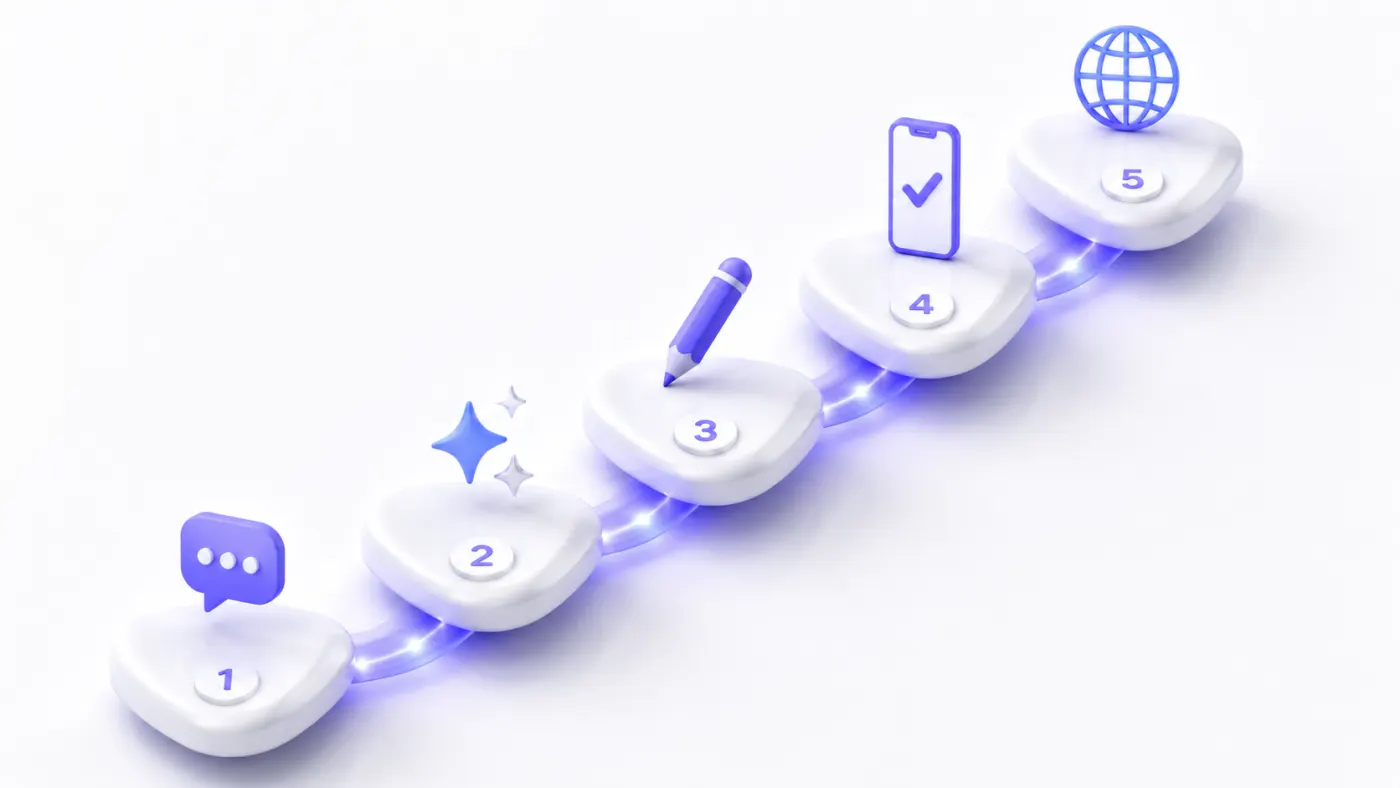
Building a Website Step by Step
1. Open Atalay AI
First, go to atalay.ai.
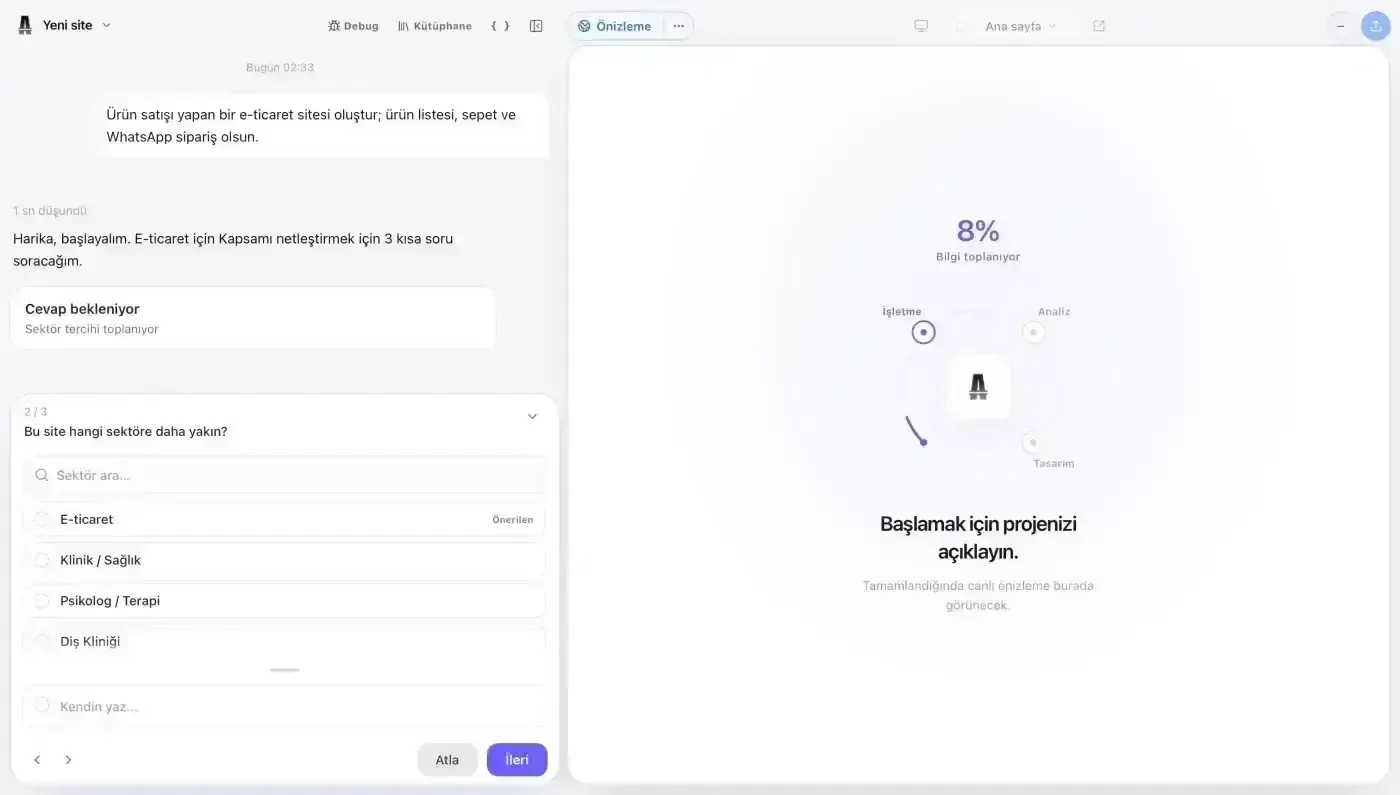
In the chat that opens, you can describe the website you want to create to Emre, an AI employee.
You do not need to use technical terminology.
Write naturally, as though you were explaining your business to a designer or developer.
For example:
Create a modern, trustworthy, mobile-friendly website for a dental clinic operating in Ataşehir.
This command is enough to create an initial website draft.
However, a more detailed description helps Atalay AI make better decisions about:
- The design language
- The page structure
- The services to highlight
- The headings to use
- The sections to create
- The action visitors should be guided toward
- The target audience of the business
Once you send your request to Emre in the chat, your site starts being prepared.
2. Describe the Website You Want to Create
The most important step in building a high-quality website with Atalay AI is writing a clear and descriptive prompt.
A prompt is the instruction that explains what you want the AI to create.
Simple Prompt Example
Create a website for a psychologist.
This prompt can work, but it is very general.
The AI does not have enough information about the location, target audience, areas of specialization, design expectations, or conversion goal.
Better Prompt Example
Create a calm, trustworthy, minimal website for a psychologist in Istanbul who provides individual therapy for adults. The homepage should include areas of specialization, therapeutic approach, about, frequently asked questions, and appointment sections. Guide visitors to book an appointment through WhatsApp.
This prompt clearly defines:
- The city where the business operates
- The service offered
- The target client group
- The feeling the design should create
- The sections required on the website
- The primary action visitors should take
Elements of an Effective Website Prompt
A strong website prompt usually contains eight core pieces of information:
- Business type
- Brand or business name
- Target audience
- Products or services offered
- Design style
- Website sections
- Primary conversion goal
- Contact method
Prompt Template You Can Use
Customize the following template for your business:
Create a [design style] website for a [business type] operating in [city or region].

Business name: [brand name]

Our services:
- [Service 1]
- [Service 2]
- [Service 3]

Our target customers: [target audience]

The website should include the following sections:
- [Section 1]
- [Section 2]
- [Section 3]
- [Section 4]

Our primary goal is for visitors to [send a WhatsApp message / complete a quote form / make a reservation / call us].

Use [colors] in the design and make the overall appearance [premium / modern / friendly / corporate / minimal].
For more ready-to-use commands, see Website Prompt Examples.
Atalay AI Prompt Examples for Different Industries
Restaurant Website Prompt
Create an elegant and welcoming website for a modern Italian restaurant operating in Kadıköy, Istanbul. The restaurant should be called Luna Milano. The homepage should include a strong hero section introducing the restaurant, featured dishes, menu, about, customer reviews, opening hours, address, and a reservation button. Use burgundy, cream, and dark green tones in the design.
Beauty Center Website Prompt
Create a modern and elegant website for a premium beauty center serving women in Ataşehir. Services should include skincare, laser hair removal, body contouring, and permanent makeup. The homepage should include services, campaigns, before-and-after work, customer reviews, frequently asked questions, and a WhatsApp appointment button. Use beige, white, and gold tones in the design.
Real Estate Agent Website Prompt
Create a trustworthy and professional website for a real estate agent working on the Anatolian Side of Istanbul. Highlight residential sales and rentals, investment consulting, and free property valuation services. The website should include about, services, featured listings, customer reviews, service areas, and a contact form.
Software Company Website Prompt
Create a technological, premium, trustworthy website for a software company providing mobile app and web software services to corporate clients. The homepage should feature mobile app development, web software, AI integration, and cloud infrastructure services. Include projects, workflow, technologies used, customer reviews, and a quote request form. Use white, dark navy, and blue-purple gradients in the design.
Law Firm Website Prompt
Create a serious, corporate, trustworthy website for a law firm in Istanbul specializing in corporate law, commercial law, and employment law. The homepage should include practice areas, about the firm, team, articles, frequently asked questions, and a consultation request form. Use dark navy, white, and gray tones in the design.
Personal Portfolio Prompt
Create a modern and minimal personal portfolio website for a software engineer who develops mobile apps and web software. The homepage should include about, skills, projects, experience, technologies used, and contact sections. Use a dark, technological, minimal design.
3. Create the First Draft of Your Website
After writing your prompt, begin the creation process.
Atalay AI analyzes your description and creates a website draft suited to your business.
Depending on your prompt, the draft may include some of the following sections:
- Hero section
- Main heading
- Descriptive copy
- Services
- Products
- About
- Projects
- Portfolio
- Statistics
- Customer reviews
- Team members
- Process
- Frequently asked questions
- Contact details
- Map
- WhatsApp button
- Appointment or quote call to action
- Footer
The first result does not need to be the final version of your website.
Treat the draft as the starting point for a professional site.
What Should You Check When the First Draft Is Ready?
Review the website and answer the following questions:
- Can visitors understand what the business does within the first few seconds?
- Is the main heading clear enough?
- Is the core benefit offered to visitors obvious?
- Are the most important products or services visible?
- Is the contact, reservation, or quote button easy to find?
- Does the design match the impression your brand wants to create?
- Are there unnecessary or repetitive sections?
- Does the website speak to the target audience?
- Is it clear what the visitor should do next?
Do not review the first draft based only on whether it looks attractive.
Also check whether the website guides visitors toward the correct action.
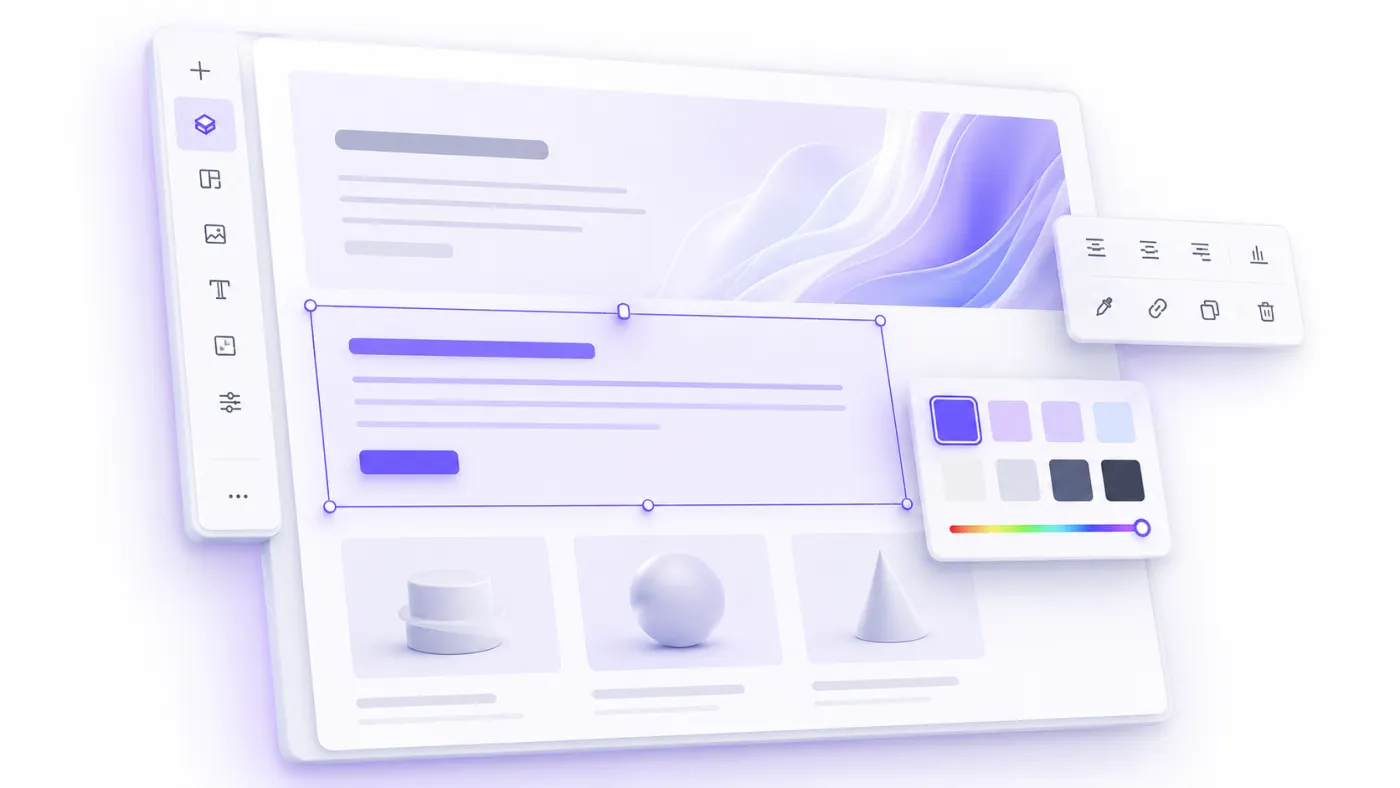
4. Edit the Main Heading and Description
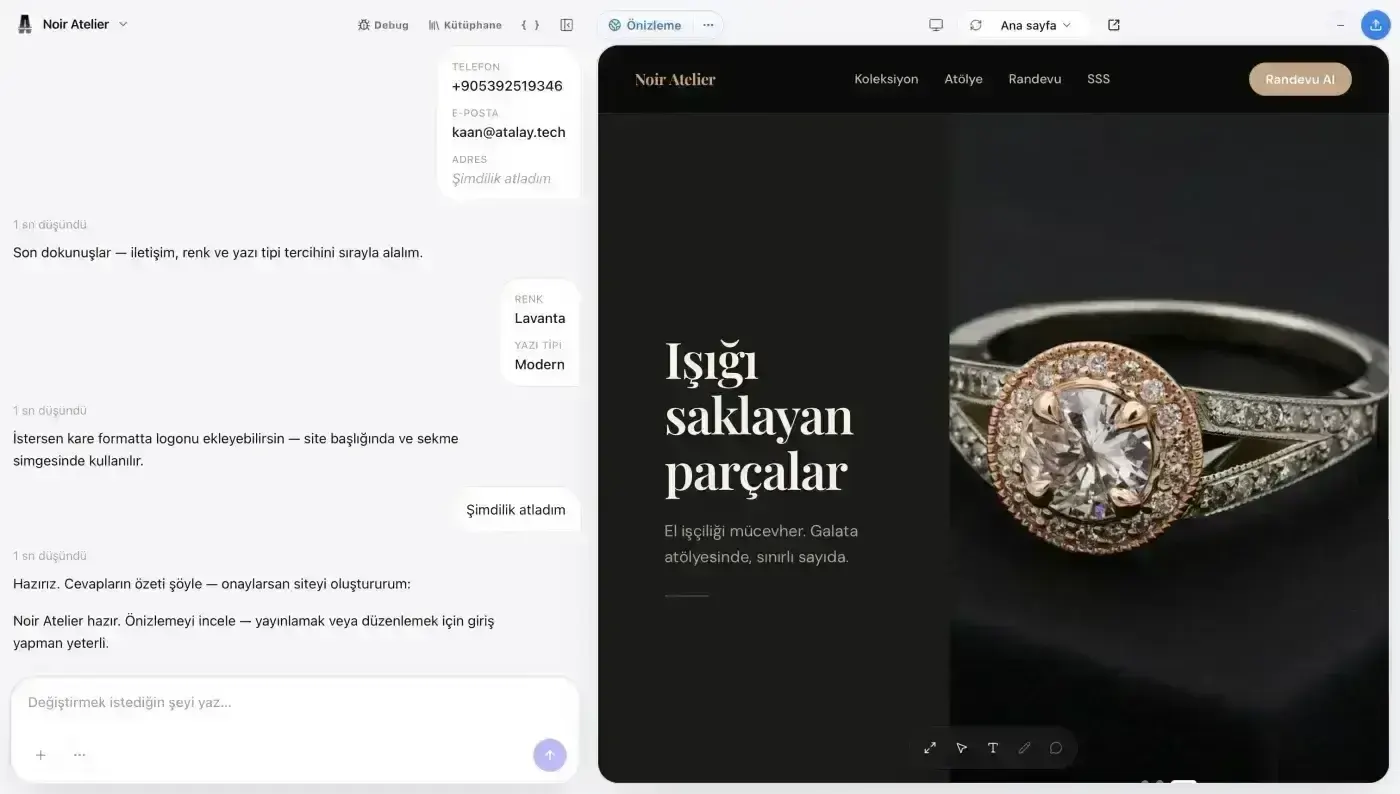
The first screen is usually the most important area of a website.
This section commonly includes:
- Main heading
- Short description
- Primary call-to-action button
- Secondary call-to-action button
- Supporting visual or background
The main heading should explain as clearly as possible what your business offers.
Weak Heading Example
Moving Forward Together
This may sound corporate, but it does not explain what the business does.
Stronger Heading Example
Professional Interior Design and Turnkey Decoration in Ataşehir
This heading clearly states the service, location, and area of expertise.
Formulas You Can Use for Main Headings
Service + location
Corporate Mobile App Development in Istanbul
Outcome + target audience
Professional Websites That Help SMEs Win More Customers
Problem + solution
Manage Complex Accounting Processes from One Dashboard
Product + core benefit
Take Your Business Online in Minutes
Industry + trust signal
Trusted and Experienced Real Estate Consulting in Istanbul
The supporting description should reinforce the heading and explain why visitors should choose your business.
Example:
Create a custom, mobile-friendly, conversion-focused website for your brand within minutes with AI assistance.
Where possible, your description should answer three questions:
- What do you offer?
- Who do you offer it to?
- What benefit will the visitor receive?
5. Add Your Services or Products
Website visitors should be able to understand what you offer quickly.
For this reason, a services or products section should include more than names alone.
Where possible, each service card should include:
- Service name
- Short description
- Primary benefit
- Details or contact link
Example Service Card
### Corporate Website

We create fast, mobile-friendly corporate websites that represent your brand professionally and help generate new customer inquiries.
A Common Mistake in Service Descriptions
Many businesses fill service descriptions only with technical features.
For example:
We use React, Next.js, Laravel, and AWS.
These details may be valuable to some users.
However, the customer's main question is:
What problem will this service solve for me?
A stronger description would be:
We develop professional websites that your customers can access quickly from phones, tablets, and computers, build trust, and help generate new inquiries.
You do not need to remove all technical details.
Explain the customer benefit first, then describe the method or technology.
What Should You Consider When Ordering Services?
Place the most important service, or the service you most want to sell, first.
Do not split very similar services into unnecessary separate cards.
For example, instead of using closely related headings such as:
- Website design
- Website development
- Corporate website
- Professional website
- Modern website
use a clearer structure:
- Corporate Website
- E-Commerce Website
- Custom Software Development
- Mobile App Development
6. Personalize the About Section for Your Brand
Atalay AI may generate a general about section in the first draft.
Personalizing this copy with real information about your business is important for credibility.
The about section can answer questions such as:
- When was the business founded?
- Why was it founded?
- Who does it serve?
- What does it specialize in?
- How is it different from competitors?
- Which values matter to the business?
- Which cities or regions does it serve?
- Why should customers choose this business?
Example About Copy
Masa & Meze was founded in Istanbul to bring traditional Turkish cuisine together with modern presentation. With freshly prepared meze, carefully selected ingredients, and a welcoming atmosphere, we offer our guests more than a meal: we create an enjoyable shared-table experience.
Elements That Strengthen About Copy
Use real and verifiable information whenever possible:
- Year founded
- Number of completed projects
- Number of customers served
- Years of experience
- Number of branches
- Professional qualifications
- Certificates
- Press or media coverage
- Partnerships
- Customer satisfaction data
- Cities served
Do not add fabricated customer counts, awards, or achievements.
Every claim used to build trust on the website should be accurate and verifiable.
7. Define Contact and Conversion Buttons
A website should do more than provide information.
It should guide visitors toward a specific action.
That action can vary by business type.
| Business type | Recommended primary action |
|---|---|
| Restaurant | Make a reservation |
| Clinic | Book an appointment |
| Software company | Request a quote |
| Real estate agency | Contact an advisor |
| Beauty center | Book through WhatsApp |
| Consultant | Schedule a consultation |
| Educational institution | Request information |
| Hotel | Check availability |
| Freelancer | Tell us about your project |
| SaaS product | Start a free trial |
You can use both a primary and a secondary call to action.
For example:
Primary button: Get a Free Quote
Secondary button: View Our Projects
When WhatsApp is your primary contact channel, do not use a vague button label.
Weak Button Text
More
Stronger Button Text
Get a Price on WhatsApp
The button text should tell users what will happen after they click.
CTA Examples You Can Use
- Get a Free Quote
- Book an Appointment Now
- Contact Us on WhatsApp
- Tell Us About Your Project
- Schedule a Free Consultation
- View the Menu
- Browse Listings
- Explore Our Services
- Get Pricing Information
- Try It Free
Do not use the primary call-to-action button only in the first section of the website.
You can repeat the same action in the following areas:
- Below the services section
- After customer reviews
- Below the frequently asked questions
- At the end of the page
- In a fixed mobile contact button
8. Adapt the Visuals to Your Business
The visuals in the first draft can help demonstrate the overall design direction.
Before publishing, however, replace them with business-specific visuals wherever possible.
You can use:
- A photo of the exterior of your business
- Office or workplace photos
- Team members
- Product photos
- Completed projects
- The service process
- Customers using the product or service
- Before-and-after work
- Professional portraits
- Store or branch photos
- Restaurant dishes
- Clinic or examination areas
What to Consider When Using Images
- Do not use blurry or low-resolution photos.
- Do not upload images with unnecessarily large file sizes.
- Maintain a consistent lighting and color style across images.
- Do not use images unless you understand their licensing rights.
- When using stock photos, make sure they genuinely fit your industry.
- Prepare descriptive alternative text for images.
- Do not repeat the same stock photo in multiple sections.
- Use horizontal images in wide areas and appropriately proportioned images in cards.
Alternative Text Example
Weak use:
image-1
Better use:
Dentist examining a patient at a dental clinic in Ataşehir
Alternative text improves accessibility and helps search engines understand what an image contains.
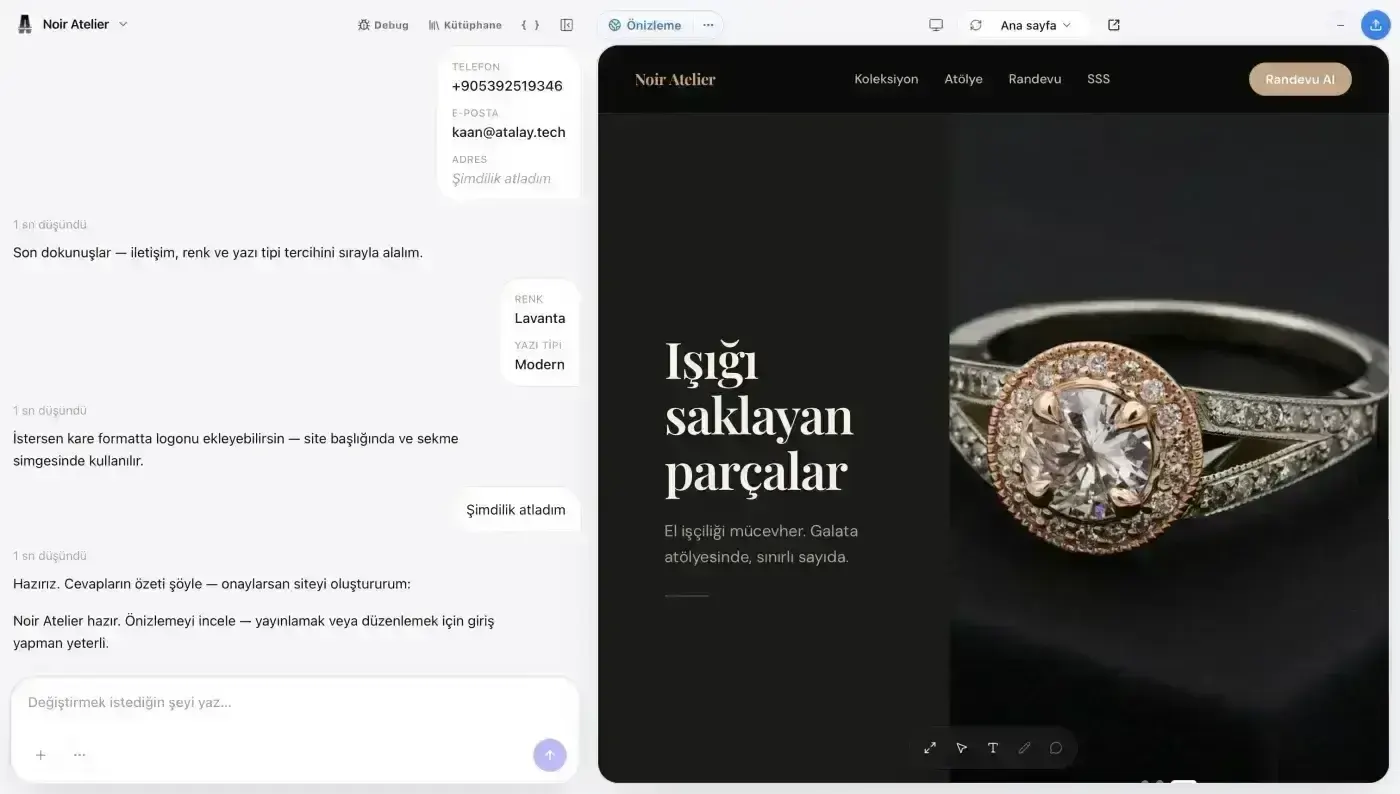
9. Review the Colors and Design Language
Color choice is not only an aesthetic decision.
It can directly affect the impression your website creates.
Colors are often associated with the following ideas:
- Blue: Trust, technology, and professionalism
- Green: Health, nature, and sustainability
- Black: Premium and powerful appearance
- Orange: Energy and movement
- Purple: Creativity and technology
- Beige and earth tones: Warmth and natural character
- White: Simplicity and spaciousness
- Red: Energy, attention, and appetite
However, there is no single correct color for every industry.
What matters is:
- Using brand colors consistently
- Making text easy to distinguish from the background
- Making buttons noticeable
- Avoiding too many colors at once
- Matching the design to the business's pricing and positioning
- Ensuring colors do not harm readability
Example Design Instruction
Make the website look more premium. Use dark navy as the primary color and gold tones as accents. Keep the backgrounds simple and light. Use large headings, generous spacing, and high-quality service photos.
Design Examples for Different Brand Positions
Premium brand
Use dark colors, generous spacing, large headings, high-quality photos, and only a small number of accent colors.
Friendly local business
Use warm colors, real business photos, rounded corners, and easy-to-find contact buttons.
Technology company
Use a white or dark background, blue-purple gradients, modern typography, and product interface visuals.
Healthcare business
Use light colors, clean spacing, trustworthy real team photos, and easy appointment sections.
10. Remove Unnecessary Sections
The first draft created by AI may contain many different sections.
More sections do not always create a better website.
Remove areas that do not offer value to the visitor or repeat the same information.
For example, the following sections may not be necessary for every business:
- Team
- Statistics
- Blog
- Pricing
- Portfolio
- Process
- Partners
- Frequently asked questions
- Newsletter
For a restaurant, menu, reservations, and location information may matter more than a team section.
For a software company, projects, process, and a quote request area may be more important.
Ask this question for every section:
Does this section help the visitor make a decision or take action?
When the answer is no, consider removing the section or combining it with another one.
11. Add Trust Signals
Visitors look for trust signals before contacting a business they are seeing for the first time.
You can add the following trust elements to your website:
- Real customer reviews
- Completed project examples
- Real team photos
- Clear contact details
- Physical address
- Google Maps location
- Social media profiles
- Certificates
- Partners
- Press coverage
- Industry memberships
- Guarantee or return policies
- Transparent pricing
- Frequently asked questions
Customer Review Example
The entire process, from preparing our website to publishing it, was fast and well organized. Our new website makes it much easier for customers to review our services.
Reviews should come from real customers.
Using fabricated names, logos, or ratings may look convincing in the short term, but it can damage brand credibility in the long term.
12. Review the Mobile Layout
Even when your website looks good on desktop, it should be reviewed separately on mobile devices.
A significant portion of visitors may reach your website from a phone.
For this reason, the mobile layout is as important as the desktop design.
Check the following:
- Does the main heading fit on the screen?
- Is the copy easy to read?
- Are buttons easy to tap?
- Are images cropped correctly?
- Does the menu open easily?
- Are contact details visible?
- Is there enough space between sections?
- Do cards stack correctly?
- Can form fields be used on a phone screen?
- Is the WhatsApp or call button easy to find?
Common Mobile Design Mistakes
- Very long main headings
- Small font sizes
- Buttons placed too close together
- Images overflowing beyond the screen
- Excessively large gaps
- Overly long service lists
- Complex tables designed only for desktop
- Forms that are difficult to use on a phone
Review the mobile layout on a real phone where possible, rather than relying only on browser preview tools.
13. Add Contact Information
Before publishing your website, make sure all contact information is correct.
Review the following details:
- Phone number
- WhatsApp number
- Email address
- Business address
- Opening hours
- Social media accounts
- Map link
- Contact form
- Tax or company information
- Appointment link
Make phone numbers clickable where possible.
On mobile devices, tapping the number should open the call screen directly.
You can also add a prepared opening message to the WhatsApp button.
Example:
Hello, I am contacting you through your website. I would like to learn more about your services.
This message helps you understand why visitors are contacting you.
14. Prepare the Basic SEO Settings
A website should do more than look good.
You also need to prepare the basic SEO settings so search engines can understand your pages.
SEO Title
The SEO title is the main heading that may appear for your page in search results.
Example:
Ataşehir Dental Clinic | Implants and Cosmetic Dentistry
Where possible, your SEO title should include:
- Primary service
- City or region
- Brand name
- The main phrase users are searching for
Meta Description
A meta description is the short summary that may appear below the title in search results.
Example:
Implant, cosmetic dentistry, and teeth whitening services in Ataşehir. Meet our experienced dentists and book an appointment online.
When writing a meta description:
- Explain the service clearly
- State the benefit offered to the user
- Include a call to action where appropriate
- Do not use the same text on every page
Page Headings
It is generally recommended to use one main H1 heading on each page.
Use H2 and H3 headings for subsections.
Example structure:
# Ataşehir Dental Clinic
## Our Treatments
### Implant Treatment
### Teeth Whitening
## About Our Clinic
## Frequently Asked Questions
## Book an Appointment
URL Structure
URLs should be short, understandable, and descriptive.
Weak example:
site.com/page?id=182
Better example:
site.com/services/implant-treatment
Image Alternative Text
Add descriptive alternative text to important images on the website.
Example:
Treatment room at a dental clinic in Ataşehir
Local SEO
When serving local customers, clearly include:
- City
- District
- Neighborhood
- Service area
- Full address
- Phone number
- Opening hours
For example, instead of writing only “professional beauty center,” use a more descriptive phrase:
Professional Beauty and Skincare Center in Ataşehir
For a more comprehensive explanation of SEO within the AI website-building process, see How to Create a Website with AI.
15. Prepare Legal Pages
Depending on your activities and the data collected through the website, you may need legal pages such as:
- Privacy Policy
- Cookie Policy
- Terms of Use
- KVKK Privacy Notice
- Explicit Consent Form
- Distance Sales Agreement
- Return and Cancellation Policy
- Delivery Terms
- Membership Agreement
When using contact forms, membership systems, analytics tools, advertising cookies, or payment systems, evaluate your legal obligations separately.
Do not publish generic templates without reviewing them.
Legal documents should match your business's real activities, the data it collects, and the services it uses.
16. Preview Your Website
Before publishing, review the entire website from the visitor's perspective.
Test the following scenarios where possible:
First-time visitor
- Is it clear what the business does?
- Are the services offered easy to understand?
- Can the visitor find the contact button?
Mobile user
- Does the menu open comfortably?
- Are buttons easy to tap?
- Can the form be completed?
User looking for a service
- Are service details sufficient?
- Is the pricing or quote process clear?
- Are trust signals visible?
User who wants to contact you
- Is the phone number correct?
- Does the WhatsApp link work?
- Can the contact form be submitted?
- Is the email address correct?
Pre-Publication Checklist
- Brand name is written correctly
- Logo has been added
- Main heading is clear and understandable
- Services are ordered correctly
- Contact details are up to date
- WhatsApp link works
- Phone link works
- Forms have been tested
- Images are high quality
- Spelling errors have been corrected
- Mobile layout has been reviewed
- SEO title has been added
- Meta description has been added
- Social media links are correct
- Legal pages have been prepared
- Unnecessary sections have been removed
- The primary CTA is consistent across the site
17. Publish Your Website
After reviewing your content, visuals, and contact details, you can publish your website.
Publishing turns the site you prepared into a live web address that visitors can access.
On the Atalay Website Starter (Başlangıç) package, your site is published at yourname.atalay.website.
For a more professional brand presence, you can connect your own domain name from the Professional (Profesyonel) package upward.
For example:
yourbrand.atalay.website
or, when using a custom domain:
www.yourbrand.com
After publishing, open the website again on both a computer and a phone.
Browser caching and different screen sizes can cause minor differences between the live version and the editing preview.
18. Connect Your Custom Domain
A domain name is the address visitors use to access your website.
Example:
atalay.ai
For a professional business website, use a domain containing your brand name where possible.
Examples:
lunamilano.com
atayapimimarlik.com
kadikoykahve.com
When choosing a domain, consider whether it is:
- Short
- Easy to type
- Easy to remember
- Related to the brand name
- Free from unnecessary hyphens and numbers
- Compatible with your social media usernames
- Unlikely to be misspelled
After connecting the domain, make sure the SSL certificate is active.
The website address should begin with:
https://
This shows that the connection is encrypted and secure.
19. Prepare Your Website for Google
After publishing, Google needs to discover and index your pages.
You can take the following steps:
- Make sure the website is publicly accessible.
- Review page titles and meta descriptions.
- Create internal links between important pages.
- Set up Google Search Console.
- Submit your sitemap to Search Console.
- Connect your website to your Google Business Profile.
- Publish useful and genuine content.
- Share your website through social media accounts.
Do not expect Google to place the website at the top of search results immediately.
Search visibility may improve over time depending on:
- Content quality
- Competition in the industry
- Domain trust
- Page speed
- Mobile usability
- Local business signals
- External links
- Consistent content publishing
- User experience
20. Keep Your Website Updated After Publishing
A website should not be forgotten after publication.
Outdated content, incorrect contact details, and expired campaigns can reduce visitor trust.
Review the following regularly:
- Phone numbers
- Email addresses
- Opening hours
- Prices
- Campaigns
- Services
- Team members
- Project examples
- Customer reviews
- Legal documents
- Social media links
- Forms
- Domain and SSL status
Monthly Website Checklist
- All pages open correctly
- Contact forms work
- WhatsApp link works
- Phone number is current
- Campaigns are current
- Images load correctly
- Mobile layout has not broken
- New customer reviews have been added
- Outdated information has been removed
- SEO performance has been reviewed
10 Tips for Better Results with Atalay AI
1. Define your business clearly
Instead of saying only “create a website,” describe the industry, location, and target audience.
2. State your primary goal
Clearly say whether you want visitors to send a WhatsApp message, request a quote, or make a reservation.
3. Describe the design style
Use terms such as modern, premium, minimal, friendly, technological, or corporate.
4. List the sections you want
Mention services, about, reviews, frequently asked questions, and contact sections in the prompt.
5. Add your color preferences
Tell the AI when you already have brand colors.
6. Do not treat the first result as the final version
Improve the copy, visuals, and page order after the first draft is created.
7. Use real information
Customer reviews, statistics, and achievements should be verifiable.
8. Always test the mobile layout
Open the website on a real phone and review it.
9. Define one primary goal for each page
Instead of guiding visitors toward five different actions at once, emphasize the most important one.
10. Update the website regularly
Add new services, projects, campaigns, and contact details promptly.
Benefits and Use Cases
Benefits of Building a Website with Atalay AI
You do not need coding knowledge
You can create a website without learning HTML, CSS, JavaScript, or another programming language.
The first draft is created quickly
Instead of preparing the page structure and starter copy from scratch, you can begin with an AI-powered draft.
It can be personalized for your business
You can define your industry, audience, services, and design expectations within the prompt.
It provides a mobile-friendly starting point
You can prepare the website to work across different screen sizes and review it through a mobile preview.
It speeds up copy creation
You can generate starter content for headings, service descriptions, about copy, and call-to-action areas.
It is accessible to small businesses
It offers a fast starting point for businesses that need a professional website but do not require a large custom software project.
It helps test ideas quickly
You can create a promotional page for a new business idea, service, or campaign within a short time.
For other ways to create a website without coding, see How to Build a Website Without Coding.
Who Is Atalay AI Suitable For?
Atalay AI is especially suitable for users who want to create a professional website quickly.
Newly established businesses
Use it to introduce a new business online and help customers reach you.
Local businesses
Create a location- and contact-focused site for a restaurant, café, clinic, beauty center, real estate agency, or service business.
Freelancers
Prepare a portfolio that presents your services, projects, and contact information.
Consultants
Create a professional site containing your areas of expertise, working approach, and consultation request form.
Entrepreneurs
Prepare a promotional page for a new product or business idea and measure market interest.
Small and medium-sized businesses
Build a website that strengthens your professional presence, explains your services, and generates new customer inquiries.
Personal brands
Bring your profile, work, content, and social media accounts together on one website.
What Types of Websites Can You Create with Atalay AI?
You can create website drafts for different purposes with Atalay AI.
Examples include:
- Corporate website
- Restaurant website
- Café website
- Clinic website
- Dentist website
- Psychologist website
- Lawyer website
- Accountant website
- Real estate agent website
- Beauty center website
- Hair salon website
- Architecture studio website
- Construction company website
- Software company website
- Consulting company website
- Personal portfolio
- Product landing page
- Event page
- Startup landing page
- Campaign page
- Menu and reservation page
The structure of your website will vary depending on the prompt and the needs of your business.
Frequently Asked Questions
Do I need coding knowledge to build a website with Atalay AI?
No. Atalay AI is designed so users can describe the website they want in natural language. You do not need to know HTML, CSS, or JavaScript to create the first website draft.
How long does it take to create a website with Atalay AI?
The first website draft can be created within minutes. However, you should allow additional time to add real business information, replace visuals, review the mobile layout, and complete pre-publication testing.
Can Atalay AI be used for free?
Signing in to atalay.ai and chatting is free. Your website is built with Atalay Website: setup is free and the first 30 days are a free trial; after that, monthly packages start at ₺490/month, excl. VAT. See atalay.website for package details.
Can I edit the generated website?
Yes. You can personalize the first draft with real business information, edit the copy, replace visuals, and improve the page structure.
Will a website created with Atalay AI be mobile-friendly?
You can preview the mobile layout and review it across different screen sizes before publishing. A final review on a real phone is especially recommended.
Can I use my own domain name?
Yes. On the Atalay Website Professional and Business (İşletme) packages, you can connect your own domain (.com, .com.tr); on the Starter package, your site opens at yourname.atalay.website. A custom domain helps your brand look more professional.
Does Atalay AI create SEO-friendly websites?
You can improve the headings, descriptions, page structure, and content of your Atalay AI website for SEO. Search visibility depends not only on the technical infrastructure, but also on content quality, competition, user experience, and the authority the site builds over time.
Can I change the website after publishing it?
Yes. You can update services, copy, images, contact information, and other content as your needs change.
Can I create an e-commerce website with Atalay AI?
Atalay Website is for business websites that present your business. If you want to sell online, Atalay Mağaza (atalay.shop), an e-commerce site on your own domain and in your brand, is a separate product.
Which prompt should I use when creating a website?
Use a descriptive prompt that includes the business type, location, services, target audience, design style, and the primary action expected from visitors.
Example:
Create a modern, premium website for an interior architecture studio operating in Istanbul. Highlight residential design, office design, and turnkey implementation services. Include projects, process, about, customer reviews, and a quote request form.
Conclusion: Describe Your Business and Create Your Website
Creating a professional website is no longer something only people with software skills can do.
With Atalay AI, you can describe your business, services, and design expectations in a few sentences and create the first version of your website.
For the best result, follow this order:
- Prepare the basic information about your business.
- Write a descriptive prompt.
- Create the first draft.
- Edit the main heading and copy.
- Add real service and business information.
- Replace visuals to match your brand.
- Review contact and conversion buttons.
- Test the mobile layout.
- Prepare SEO settings and legal pages.
- Publish the website.
- Connect a custom domain.
- Update the site regularly.
The first version of your website does not need to be perfect.
What matters is starting quickly, collecting feedback from real visitors, and improving the website over time.
Are you ready to take your business online?
Tell Atalay AI what you need and create your website within minutes.
 Atalay AI vs Wix vs Framer vs Lovable (2026 Comparison)
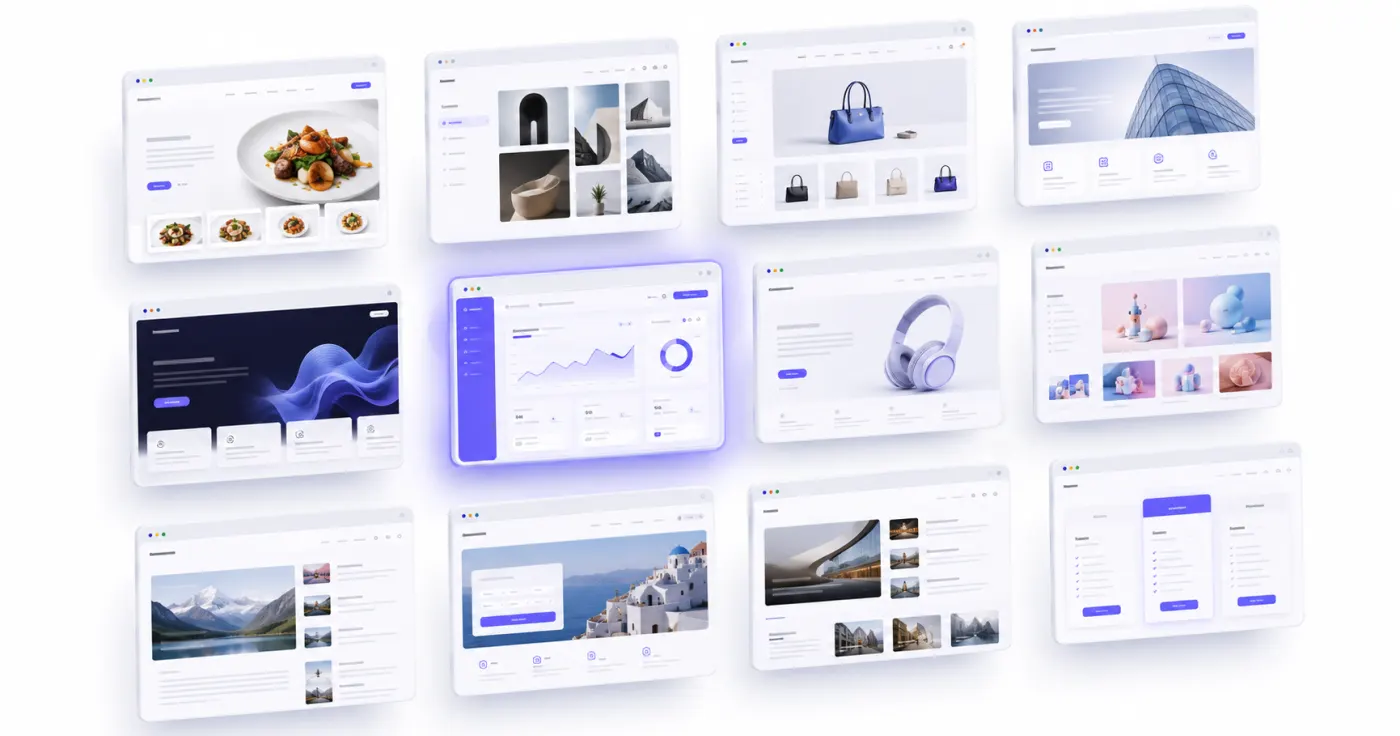 12 Best AI Website Builders in 2026: A Detailed Comparison
 How to Build a Website for Free with AI: 2026 Guide