
You no longer need to know HTML, CSS, JavaScript, or server administration to create a professional website.
In 2026, a business owner, entrepreneur, or freelancer can describe the website they want in a few sentences, generate an initial draft with artificial intelligence, edit the content in a visual editor, and publish the site on their own domain.
For example:
Create a modern website for a premium Pilates studio serving customers in Ataşehir, Istanbul. Introduce our reformer Pilates, private lesson, and prenatal Pilates services. Allow visitors to request a free trial lesson through WhatsApp.
Build a site with this prompt
An AI website builder receiving this description can automatically create:
- The homepage structure,
- Headings and descriptions,
- Service sections,
- The visual layout,
- The mobile design,
- Contact buttons.
The user only needs to update the initial draft with real business information and publish it.
However, building a website without coding does not simply mean choosing a template and clicking the “Publish” button.
A professional website must:
- Clearly explain what the business offers,
- Work properly on mobile devices,
- Load quickly,
- Build trust with users,
- Be understandable to search engines,
- Guide visitors toward a specific action.
In this guide, we will explain every step of building a website without writing code, from the initial idea to publication.
In brief: To build a website without coding, choose an AI website builder or no-code site builder, prepare your business information, describe the website you want, edit the generated draft, complete the contact and SEO settings, and then publish it on a free subdomain or your own domain.
Can You Build a Website Without Coding?
Yes. Today, software development knowledge is not required to create a website.
Users without coding knowledge can build websites with:
- AI website builders
- Drag-and-drop website builders
- Ready-made template systems
- Content management systems
- E-commerce platforms
- Single-page landing page tools
- No-code application platforms
What these tools have in common is that users work through a visual interface or natural language instead of writing code.
Users can:
- Add sections,
- Change headings,
- Upload images,
- Create buttons,
- Adjust colors,
- Add new pages,
- Connect a domain,
- Publish the website.
Is Coding Never Necessary?
Coding may not be necessary for simple and medium-sized websites.
The following projects can usually be created without writing code:
- Corporate brochure websites
- Small business websites
- Restaurant websites
- Digital menus
- Portfolios
- Blogs
- Landing pages
- Event pages
- Simple e-commerce websites
- Personal websites
However, custom software may be required when a project needs features such as:
- A complex membership system
- Custom user roles
- An advanced database
- A custom admin panel
- A multi-vendor marketplace
- Custom payment distribution
- Extensive integrations
- Real-time messaging
- A shared backend with a mobile application
- An industry-specific operations system
The key distinction is this:
Are you creating a website to present your business, or developing a software product in which users perform transactions?
Build a site with this prompt
Ways to Build a Website Without Coding
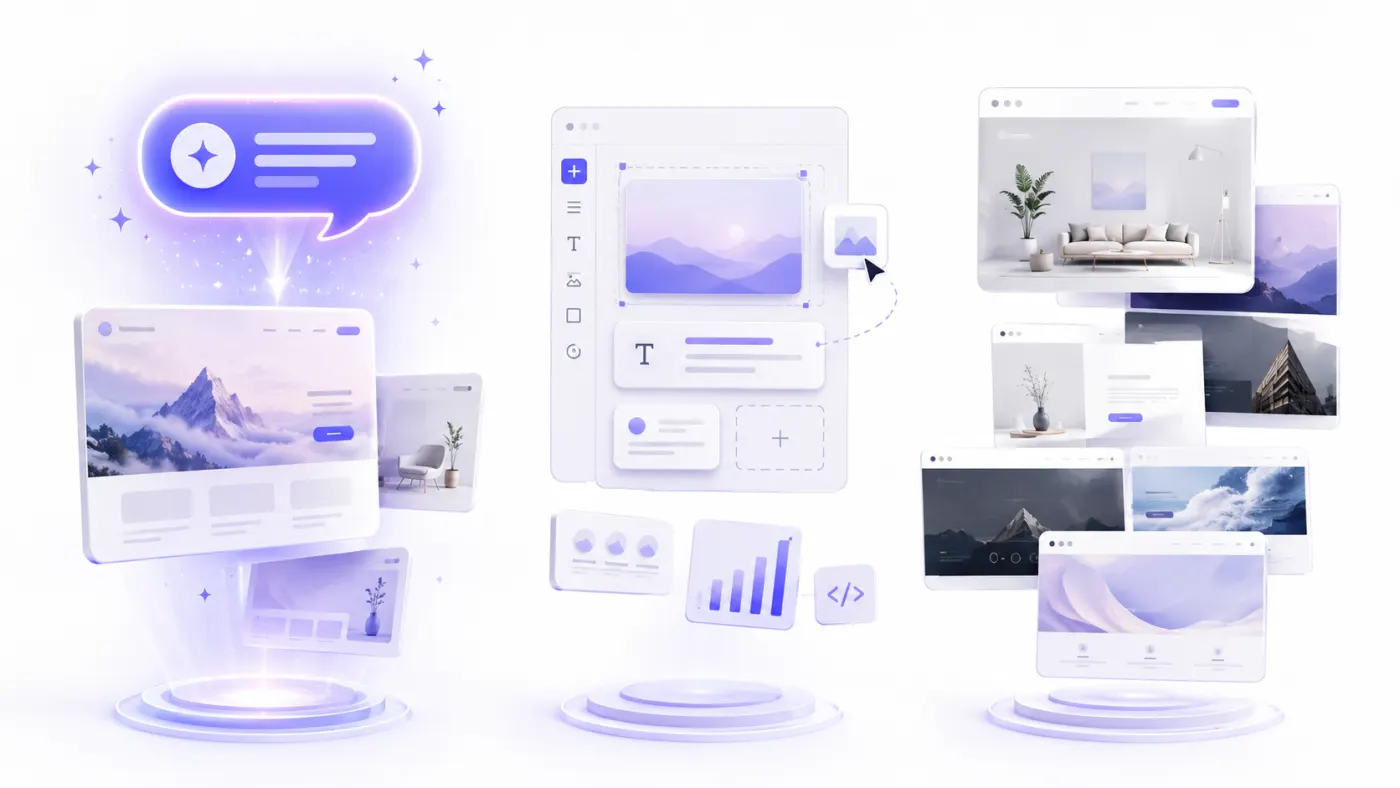
There are four main methods you can use to create a website without writing code.
1. AI Website Builder
The user describes the website they want in natural language.
Example:
Create a modern website for a business producing custom-made furniture in Bursa. Introduce our kitchen, walk-in wardrobe, and TV unit services. Allow visitors to request a free site survey through WhatsApp.
Build a site with this prompt
The AI creates:
- Pages,
- Sections,
- Copy,
- The design direction,
- CTA buttons.
This is one of the easiest options for users who do not want to start from scratch and have no technical knowledge.
2. Drag-and-Drop Website Builder
The user moves ready-made components onto the page.
Example components include:
- Heading
- Image
- Text
- Button
- Gallery
- Form
- Map
- Video
- Pricing table
- Testimonial
The user creates the design manually but does not write code.
3. Using a Ready-Made Template
The user chooses a ready-made template suited to their industry.
For example, templates can be used for:
- Restaurants
- Hair salons
- Clinics
- Law firms
- Real estate businesses
- Software companies
- Portfolios
The brand name, colors, text, and images are then replaced.
4. Using a Content Management System
Systems such as WordPress can be used to create websites without writing code.
However, users may need to manage:
- Hosting,
- Themes,
- Plugins,
- Security,
- Updates,
- Backups.
The technical maintenance burden can be higher than with managed AI website builder platforms.
Building a Website with an AI Website Builder
An AI website builder is one of the fastest ways for users without coding knowledge to get started.
With a traditional website builder, the user first selects a template and creates the pages manually.
With an AI website builder, the user explains their needs instead.
Example Prompt
Create a calm and trustworthy website for a psychologist practicing in Kadıköy, Istanbul. I offer individual therapy, couples therapy, and online therapy. The homepage should include areas of practice, an about section, the therapy process, frequently asked questions, and an appointment request form. Use light beige, soft green, and white in the design.
Build a site with this prompt
The system can infer the following from this description:
- Business type
- Location
- Services
- Brand tone
- Required sections
- Primary conversion goal
- Color preferences
Advantages
- Very fast setup
- Eliminates the blank-page problem
- Helps generate copy
- Requires no technical knowledge
- Produces a mobile-friendly draft
- Suggests design ideas
- Is accessible to small businesses
Limitations
- The initial draft may look generic.
- AI may generate incorrect information.
- Custom features unsupported by the platform may not be added.
- Design freedom depends on the tool being used.
- Moving the website to another platform may be difficult.
For this reason, all AI-generated text should be reviewed before publication.
Using a Ready-Made Website Builder
A ready-made website builder allows users to edit pages through a visual editor.
A typical workflow is as follows:
- Choose a template.
- Add the brand name.
- Upload the logo.
- Change the colors.
- Edit the copy.
- Upload images.
- Add pages.
- Review the mobile layout.
- Connect a domain.
- Publish the website.
Who Is It Suitable For?
- Users who want manual control over the design
- Users who prefer ready-made templates
- Businesses without technical knowledge
- Users who will update content regularly
- People creating a blog or portfolio
What Is the Disadvantage?
Compared with an AI website builder, the user has to make more design decisions.
For example:
- Which sections should be included?
- In what order should the sections appear?
- Which heading should be used?
- Where should the CTA be displayed?
- Which colors should be selected?
An AI-assisted starting point can be easier for users who struggle with these decisions.
How to Build a Website Without Coding
By following the steps below, you can create a professional website without needing technical knowledge.
1. Define the Purpose of the Website
First, determine what the website is supposed to accomplish.
Ask yourself:
What should a visitor do when they arrive on my website?
Possible goals include:
- Making a phone call
- Sending a WhatsApp message
- Completing a quote request form
- Booking an appointment
- Making a reservation
- Purchasing a product
- Browsing a menu
- Viewing a portfolio
- Joining an email list
- Downloading an application
The primary goal affects the entire structure of the website.
For a restaurant, the main goal may be reservations.
For a software company, it may be generating quote requests.
For an e-commerce brand, it may be selling products.
2. Prepare Your Business Information
Before creating the website, collect the following information in a document:
- Business name
- Business description
- Products or services
- Target customer
- Cities served
- What differentiates the business
- Phone number
- WhatsApp number
- Email address
- Address
- Opening hours
- Social media links
- Logo
- Brand colors
- Business photographs
- Team information
- Customer testimonials
- Frequently asked questions
Having this information ready will speed up the website creation process.
3. Choose the Right Website Builder
Do not evaluate a tool solely on whether it is free.
Consider the following features:
- English-language support
- AI website creation
- Visual editor
- Mobile responsiveness
- Page creation
- Forms
- Maps
- Blog
- E-commerce
- SEO
- Custom domain connection
- Hosting
- SSL
- Analytics
- Pricing
Do not choose an unnecessarily complex system for a simple business website.
Likewise, do not use only a basic website builder for a project that requires memberships and a database.
4. Choose a Template or an AI Starting Point
You have two options:
Start with a Template
Choose a ready-made design suited to your industry.
Start with a Prompt
Describe the website you want to the AI.
Starting with a prompt reduces the number of design decisions you need to make.
5. Create the Homepage
A good homepage should answer the following questions within the visitor's first few seconds:
- What does this business offer?
- Who is it for?
- Why should I choose it?
- How can I get in touch?
A Practical No-Code Homepage Structure
When building without code, start with this structure instead of adding unnecessary sections:
- A clear promise + one primary button (hero)
- Three to six service or product cards
- Brief trust proof (testimonial, certification, or “why choose us”)
- Contact / WhatsApp / form
- Footer (address, hours, social links)
If the template or AI suggests extra blocks, keep only those that contribute to conversions. For a broader overview of page architecture, see our guide to building a website with AI.
6. Edit the Copy
Adapt the generic copy generated by the AI or template to your business.
Generic Copy
We provide high-quality and reliable services.
Stronger Copy
At our Ataşehir studio, we hold reformer Pilates classes in groups of no more than four people. We prepare a personalized program for each member based on their goals.
Build a site with this prompt
The second version:
- Specifies a location.
- Explains the service.
- Presents a concrete differentiator.
- Shows the user what to expect.
What Your Copy Should Include
- A clear value proposition
- A concrete benefit
- Accurate information
- The user's problem
- The solution
- A trust signal
- A clear CTA
7. Add Real Images
AI-generated or stock images can be used as a starting point.
However, real photographs may build more trust for local businesses.
Useful images include:
- The business exterior
- The interior
- The team
- Products
- The service process
- Completed projects
- Menu items or product presentations
- The working environment
Optimize file sizes before uploading images.
8. Add Contact Methods
Visitors should be able to reach you easily.
Options may include:
- Phone
- Contact form
- Appointment booking
- Reservations
- Map
- Social media
Instead of displaying the phone number only as text, use a clickable link.
You can add a prefilled message to the WhatsApp button:
Hello, I found you through your website. I would like more information about your services.
Build a site with this prompt
9. Review the Mobile Layout
The website should not look as though it was designed only for desktop screens.
Check the following on mobile:
- Do headings fit on the screen?
- Is the text readable?
- Are buttons large enough?
- Does the menu open easily?
- Do images overflow?
- Can forms be completed comfortably?
- Does the fixed WhatsApp button cover any content?
- Is there any horizontal scrolling?
The mobile layout should be tested on a real device before publication.
10. Complete the SEO Fields
For every page, create:
- An SEO title
- A meta description
- A descriptive URL
- An H1 heading
- Image alt text
Example:
Page title:
Ataşehir Reformer Pilates Studio | Nova Pilates
Meta description:
Discover reformer Pilates, private lessons, and prenatal Pilates programs in Ataşehir. Contact us to book a free trial lesson.
11. Connect Your Domain
When starting for free, you can use the platform's subdomain.
Example:
brand-name.platform.com
For professional use, you can move to your own domain.
Example:
brandname.com
It is important for the domain to be registered under the business's own account.
12. Test and Publish the Website
Before publishing:
- Click every button.
- Submit a form.
- Test the WhatsApp link.
- Try the phone link.
- Check the social media links.
- Correct spelling mistakes.
- Test the mobile layout.
- Verify that SSL is active.
- Review page titles.
Content, Design, and Technical Setup
How to Write a Prompt for Building a Website
A good prompt should include the following components:
Business type
+ location
+ target audience
+ services
+ design style
+ pages
+ primary CTA
Prompt Template
Create a [business type] website for [business name].

The business serves customers in [location].

Our target audience is [target customer].

Our main services are:
- [Service 1]
- [Service 2]
- [Service 3]

Use a [design style] design with [colors].

The homepage should include:
- [Section 1]
- [Section 2]
- [Section 3]
- [Section 4]

The primary conversion goal should be [action].

The main button should say “[CTA].”
Completed Example
Create a modern website for a cleaning company serving corporate clients in Şişli, Istanbul. We provide office cleaning, factory cleaning, post-construction cleaning, and recurring cleaning services. The homepage should include services, why choose us, the working process, references, customer testimonials, frequently asked questions, and a quote request form. Use white, blue, and light gray for a clean and professional appearance. The main button should say “Get a Free Quote.”
Build a site with this prompt
For more examples, see:
50+ AI Prompt Examples for Building a Website
Which Pages Should a Website Include?
The number of pages depends on the scope of the business.
Simple Business Website
- Home
- About
- Services
- Contact
Professional Services Website
- Home
- About
- Services
- A detailed page for each service
- Projects or references
- Blog
- Frequently Asked Questions
- Contact
Restaurant
- Home
- Menu
- About
- Gallery
- Reservations
- Location
Portfolio
- Home
- Projects
- About Me
- Experience
- Contact
E-Commerce
- Home
- Categories
- Product details
- Cart
- Checkout
- My Account
- Returns and delivery
- Contact
Does Every Service Need Its Own Page?
Creating a separate page can be useful when each service addresses a different user need or search intent.
For example, a dental clinic could explain the following on separate pages:
- Dental implants
- Orthodontics
- Smile design
- Pediatric dentistry
How to Design a Website Without Coding
You do not need advanced design knowledge to create a professional appearance.
Following a few basic rules is enough.
Use a Limited Number of Colors
A simple color system can include:
- One primary brand color
- One secondary color
- One accent color
- A light background
- Dark text
Using too many colors can create visual clutter.
Choose No More Than Two Fonts
- A heading font
- A body font
Readability comes before aesthetics.
Use White Space
Do not fill every area with text and images.
Adequate space between sections makes the website look more professional.
Make the Primary CTA Stand Out
The primary button should be visually distinct from the background.
Examples:
- Get a Free Quote
- Book an Appointment
- Reserve a Table
- Try for Free
Use a Consistent Button System
Do not use different colors, shapes, and corner styles in every section.
Consistent design builds trust.
Prioritize Real Images
Real images are especially important for websites in industries such as:
- Restaurants
- Clinics
- Hair salons
- Hotels
- Architecture
- Furniture
- Portfolios
How to Create a Mobile-Friendly Website
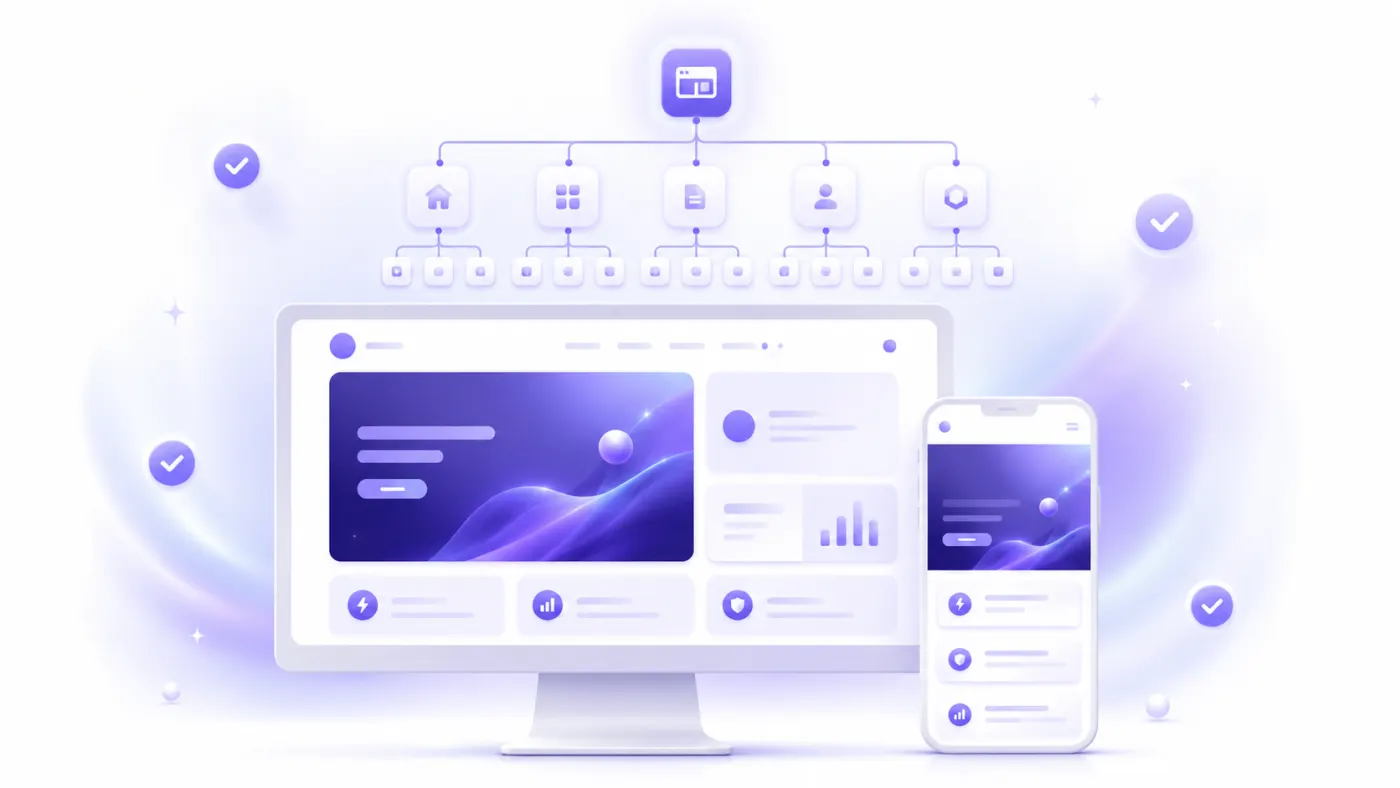
Modern website builders may provide a responsive starting point.
However, every page should still be tested manually.
Mobile Design Checklist
- Body text is comfortable to read.
- Headings are not too long.
- Buttons are easy to tap.
- The menu is simple.
- Cards switch to a single column.
- Images do not overflow.
- Form fields are usable.
- Phone and WhatsApp buttons work.
- There is no horizontal scrolling.
- Pop-ups do not cover the screen.
Think Mobile First
Visitors to many business websites arrive through:
- Google Maps,
- Social media,
- Messaging applications,
- Mobile search results.
For this reason, the primary CTA should remain visible on mobile devices.
How to Get a Domain and Hosting
What Is a Domain?
A domain is the address of a website.
Example:
atalay.ai
A good domain should be:
- Short,
- Easy to type,
- Consistent with the brand,
- Easy to pronounce,
- Free of unnecessary hyphens and numbers.
What Is Hosting?
Hosting is the technical infrastructure on which the website runs.
On managed website builder platforms, hosting is usually included in the plan.
In this case, the user does not need to:
- Set up a server.
- Update software.
- Install SSL.
- Handle the technical deployment process.
What Is SSL?
SSL encrypts the connection to the website and allows the address to open with https://.
A modern website should use SSL.
Whose Account Should Hold the Domain?
The domain should always be held in the business's own account.
Keeping it in the personal account of an agency, developer, or third party can create ownership problems later.
How to Do SEO Without Coding
You do not need to write code to work on SEO.
Many website builders allow you to edit basic SEO fields through a visual dashboard.
Page Title
Write a unique title for every page.
Poor:
Home
Better:
Ataşehir Pilates Studio | Nova Pilates
Meta Description
Briefly describe the content of the page.
Example:
Explore reformer Pilates, private lessons, and prenatal Pilates programs in Ataşehir. Contact us to book a free trial lesson.
URL
Complicated URL:
/page?id=481
Better URL:
/atasehir-reformer-pilates
Heading Structure
Each page should have one primary H1 heading.
H2 and H3 headings can be used for subtopics.
Image Alt Text
Example:
Group class at a reformer Pilates studio in Ataşehir
Internal Links
Connect related pages to one another.
Examples:
- From the homepage to services
- From a blog post to a service page
- From a service page to contact
- From the about page to the team
Real and Helpful Content
Add the following to generic AI-generated copy:
- Real experience
- Project examples
- The service process
- Pricing approach
- Real photographs
- Real customer questions
- Areas served
Adding Forms, WhatsApp, and Maps to a Website
It is possible to add communication tools without coding.
Contact Form
A simple form may only need the following fields:
- Full name
- Phone
- Service of interest
- Message
Forms that are too long can reduce conversions.
A WhatsApp button allows visitors to send a direct message.
Example prefilled message:
Hello, I found you through your website. I would like more information about your services.
Build a site with this prompt
Phone
On mobile devices, the phone number should be clickable.
Map
Physical businesses can add:
- Full address
- Map
- Directions
- Opening hours
- Parking information
Appointments and Reservations
Appointment systems can be used on websites for clinics, beauty salons, restaurants, consultants, and instructors.
Can You Build a Website for Free Without Coding?
Yes. Some platforms may offer:
- Free website creation,
- A free subdomain,
- Free hosting,
- Basic SSL,
- Limited AI credits.
Free plans may include limitations such as:
- Platform branding
- A subdomain
- Page limits
- Traffic limits
- Storage limits
- Form limits
- AI usage limits
- Limited advanced SEO features
- Disabled payment features
A free plan may be sufficient for:
- Testing a business idea
- Publishing a first portfolio
- Creating a temporary event page
- Validating a product
- Comparing tools
- Preparing a small business's first website
A paid plan may be necessary when you want to use professional advertising, a custom domain, payments, or advanced SEO.
For a more detailed guide, see:
How to Build a Website with AI for Free
Comparison of Website Creation Methods
| Method | Coding required | Setup speed | Design control | Technical maintenance | Best suited for |
|---|---|---|---|---|---|
| AI website builder | No | Very fast | Medium | Low | Small businesses and landing pages |
| Drag-and-drop builder | No | Fast | High | Low | Corporate websites and portfolios |
| Ready-made template | No | Fast | Medium | Low | Standard business websites |
| WordPress | Usually not | Medium | High | Medium to high | Blogs and extensive content |
| E-commerce platform | No | Medium | Medium | Low | Online stores |
| No-code app builder | Not initially | Medium | High | Medium | Membership-based applications |
| Custom software | A developer is needed | Slow | Very high | High | Complex digital products |
Which Method Is the Easiest?
For users without technical knowledge, an AI website builder is generally the easiest starting point.
Which Method Offers the Most Design Control?
Professional drag-and-drop and design tools can provide greater visual control.
Which Method Is the Most Flexible?
Custom software offers the greatest flexibility, but it requires a larger budget, more time, and more technical maintenance.
Common Mistakes When Building a Website Without Coding
1. Publishing the First Draft Immediately
The first website generated by AI should be reviewed.
2. Using Inaccurate or Fabricated Content
AI-generated content such as:
- Customer testimonials
- Statistics
- Certifications
- Team members
- Success rates
should not be published without verification.
3. Failing to Test the Mobile Layout
A website that looks good on desktop may be difficult or impossible to use on mobile.
4. Using Too Many Colors
Keep the design centered around two or three primary colors.
5. Using Generic Copy
Provide concrete information instead of phrases such as “the home of quality and trust.”
6. Hiding Contact Information
The phone number, WhatsApp link, and address should be easy to find.
7. Failing to Define a Primary CTA
Clearly tell users what they should do next.
8. Failing to Test Forms
After submitting a form, verify that the email or dashboard notification is received.
9. Uploading Oversized Images
Large images can slow down the website.
10. Keeping the Domain in Someone Else's Account
The domain should remain under the business's control.
11. Forgetting Legal Pages
Depending on the business's activities, the website may need:
- A privacy policy
- A KVKK disclosure notice
- A cookie policy
- Terms of use
- Return conditions
12. Failing to Update the Website After Publication
Opening hours, services, team details, and pricing information should be kept up to date.
Building a Website Without Coding with Atalay AI
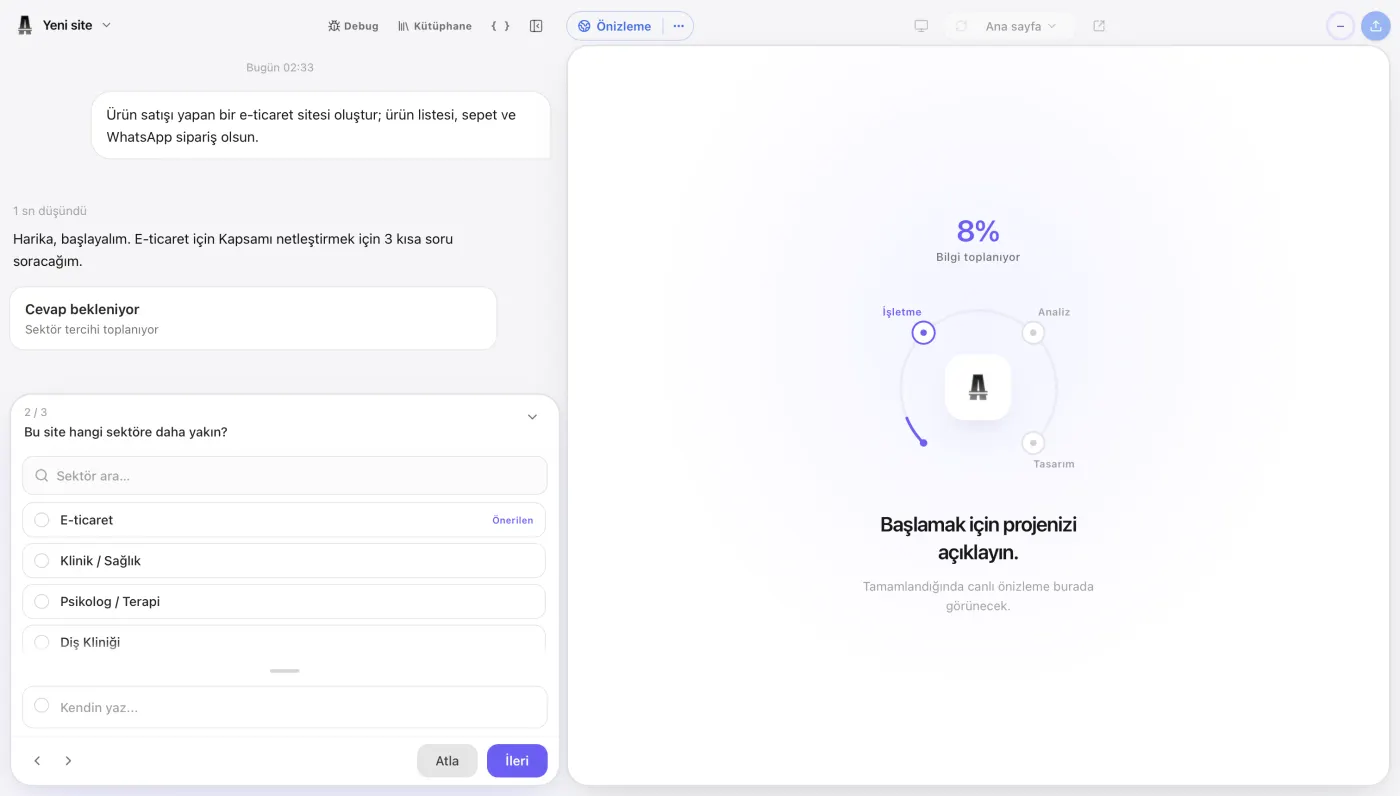
On Atalay AI, websites are built with Atalay Website: you describe your business in natural language to Emre, an AI employee, in the atalay.ai chat, and your site is prepared. For every step from writing a prompt to publication, follow our guide on How to Build a Website with Atalay AI.
Example:
Create a modern website for Atölye Meşe, a custom furniture manufacturer in Bursa. We provide kitchen, walk-in wardrobe, TV unit, and bathroom cabinet services. The homepage should include services, completed projects, the working process, customer testimonials, and a free site survey form. Use light beige, dark brown, and white for a premium appearance. The main button should say “Request a Free Site Survey.”
Build a site with this prompt
Atalay AI can generate an initial website draft based on this description.
How to Use It
- Open atalay.ai.
- Describe the website you want to Emre in the chat.
- Review the generated draft.
- Replace the copy with your real information.
- Add your logo and images.
- Enter your phone, WhatsApp, and address details.
- Review the mobile layout.
- Publish it at yourname.atalay.website (30-day free trial).
- When you are ready, move to the Professional package and connect your own domain.
Types of Websites You Can Create
- Business website
- Restaurant website
- Digital menu
- Portfolio
- Landing page
- Service website
- Campaign page
- Personal website
Create your first website without learning to code. Describe your business to Emre in the atalay.ai chat and see the first version of your website within minutes.
Website Publishing Checklist
Business Information
- The business name is correct.
- The phone number is correct.
- The WhatsApp number is correct.
- The email address is correct.
- The address is up to date.
- Opening hours are up to date.
- Social media links work.
Content
- Services are listed correctly.
- There is no inaccurate or fabricated information.
- No fabricated customer testimonials are used.
- Spelling mistakes have been corrected.
- The primary CTA is clear.
- Pricing information is up to date.
Design
- The logo appears clearly.
- Colors are consistent.
- Text is readable.
- Images are high quality.
- Buttons are consistent.
- The section order is logical.
Mobile
- The menu opens.
- Headings fit on the screen.
- Buttons are easy to tap.
- Forms are usable.
- Images do not overflow.
- There is no horizontal scrolling.
Technical
- The website uses HTTPS.
- All links work.
- Form submission has been tested.
- The WhatsApp button has been tested.
- The phone link has been tested.
- A favicon has been added.
- A social sharing image has been added.
SEO
- Every page has a unique title.
- Meta descriptions are ready.
- URLs are descriptive.
- H1 headings are correct.
- Alt text has been added to images.
- Internal links have been created.
- The sitemap has been checked.
Legal
- The privacy policy has been reviewed.
- The KVKK disclosure notice has been reviewed.
- Form consent fields have been checked.
- Sales and return conditions have been added if the website includes e-commerce.
What Should You Do After Publishing a Website?
On the First Day
- Open the website on different phones.
- Submit a form.
- Test the WhatsApp link.
- Try the phone button.
- Review the website again for spelling mistakes.
During the First Week
- Share the website with your customers.
- Add it to your social media profiles.
- Add it to your Google Business Profile.
- Collect user feedback.
- Add unanswered questions to the FAQ section.
During the First Month
- Review the most visited pages.
- Measure CTA clicks.
- Add new customer testimonials.
- Publish real project and business photographs.
- Start creating blog content.
- Improve underperforming pages.
Frequently Asked Questions
Can You Build a Website Without Coding?
Yes. You can create a website without coding by using an AI website builder, a drag-and-drop website builder, or a ready-made template system.
Do You Need to Know HTML to Build a Website?
No. Modern website builder platforms allow you to add pages, text, images, forms, and buttons without writing HTML.
Can You Build a Professional Website Without Coding?
Yes. A professional website can be created with the right design, accurate content, mobile responsiveness, a custom domain, and properly configured SEO settings.
Can You Build a Website for Free Without Coding?
Some platforms offer free website creation and publication on a subdomain. A custom domain and advanced features may require a paid plan.
How Do You Build a Website with AI?
Describe your business and the website you want to an AI website builder. Edit the generated draft, add your contact information, and publish the website.
How Long Does It Take to Build a Website?
An AI website builder can create the initial draft within a few minutes. Adding real content and completing all checks may take several hours or days.
How Much Does It Cost to Build a Website?
You can begin with a free plan. Paid website builder plans may use monthly subscriptions. Freelancer, agency, and custom software costs increase as the scope grows.
Can I Connect My Own Domain?
Most professional website builder platforms support custom domain connections on paid plans.
Do I Need to Purchase Hosting Separately?
Hosting is usually included with managed website builder platforms. WordPress or custom software projects may require separate hosting.
Is SSL Necessary?
Yes. The website should use a secure HTTPS connection.
Can WhatsApp Be Added to a Website?
Yes. You can add a WhatsApp button that directs visitors to your number with a prefilled message.
Can Payments Be Added to a Website?
Platforms that support payments can be used to accept online payments and sell products or services.
Can You Build an E-Commerce Website Without Coding?
Yes. Ready-made e-commerce platforms and AI website builders can be used to create product, cart, and checkout pages.
Can You Build a Blog Without Coding?
You can publish articles without coding on platforms that include blog or CMS features.
Can You Do SEO Without Coding?
Yes. Basic SEO fields such as page titles, meta descriptions, URLs, heading structures, and image alt text can be edited through the dashboard.
Can I Change the Website Later?
Most platforms allow you to change text, images, pages, colors, and buttons after publication.
Will the Website Be Mobile-Friendly?
Most modern website builder tools create responsive designs. The website should still be tested on real mobile devices.
Is a Ready-Made Template or AI Better?
A template may be more suitable if you want to make design decisions manually. AI may be more suitable if you want to describe your business and get started quickly.
Does WordPress Require Coding?
A basic WordPress website can be set up without coding. However, managing hosting, themes, plugins, security, and performance may require technical knowledge.
Is an AI Website Builder Secure?
Security depends on the platform's hosting, SSL, backup, and access infrastructure. Strong passwords and two-factor authentication should be used.
What Is the Easiest Method for Small Businesses?
AI website builders that create websites from natural-language prompts and provide hosting, SSL, forms, and custom domain support in one platform are among the easiest options for small businesses.
Can You Build a Website Without Coding with Atalay AI?
Yes. On Atalay AI, you can describe your business in natural language, generate your first website draft, edit it, and publish it.
Common Mistakes When Building Without Coding
Building without code is easier than ever — but these mistakes delay launch or hurt conversion.
1. Starting with a vague prompt
Short prompts like “make a nice website” usually produce a generic draft. State your industry, location, services, audience, and desired action (WhatsApp, form, booking).
2. Leaving real details for later
Filling address, phone, and prices only at the last minute is risky. Put real business information in during the first edit; otherwise you may publish with wrong contact details.
3. Skipping the mobile check
Most visitors arrive on phones. Before publish, confirm hero copy, buttons, and the menu are readable and tappable on mobile.
4. Leaving SEO fields empty
Write a page title, meta description, and H1 that match your main keyword. Building without coding does not mean ignoring search settings.
5. Competing CTAs
The homepage should make the next step obvious: “Message on WhatsApp”, “Book”, or “View menu”. Several equally strong buttons split attention.
Pre-Publish Mini Checklist
Before you go live without coding, check:
- Does the first screen explain what the business offers?
- Are services / menu / packages real and current?
- Does phone, WhatsApp, or the form work?
- Are logo and images sharp?
- Are menu and buttons usable on mobile?
- Are title and meta description filled in?
- Is the domain or subdomain correct?
- Is SSL active and the site marked secure?
- Are privacy / contact pages added if needed?
- Did a test form submission arrive?
This list keeps AI speed while raising launch quality.
Why Atalay AI Helps for No-Code Sites
Atalay Website generates a first draft from a natural-language chat, lets you make changes by typing them in the chat or clicking on the text, and keeps hosting and SSL in the same flow. That means:
- You do not set up a separate server,
- You start from a business-specific skeleton instead of hunting templates,
- Setup is free; you can try it free for 30 days and continue with packages from ₺490/month, excl. VAT,
- You can manage domain connection on the same platform.
Complex projects that need custom software may still go through a custom package / atalay.tech. For small businesses and personal brands, a self-service AI website builder covers most scenarios.
Conclusion
It is now possible to build a website without coding.
A business owner or entrepreneur can create a professional website without:
- Learning HTML,
- Writing CSS,
- Setting up a server,
- Designing everything from scratch.
The basic process to follow is:
- Define the purpose of the website.
- Prepare your business information.
- Choose the right AI website builder.
- Write a detailed prompt.
- Generate the initial draft.
- Edit the copy with accurate information.
- Add your logo and images.
- Create contact and CTA areas.
- Test the mobile layout.
- Complete the SEO settings.
- Connect the domain.
- Test the forms and publish the website.
Not writing code does not mean skipping quality control.
The initial AI-generated website should be reviewed for:
- Brand alignment,
- Accuracy,
- Usability,
- Mobile presentation,
- SEO,
- Conversion.
The best result is achieved when you combine the speed of artificial intelligence with accurate information about your business.
Create your professional website without learning to code. Describe your business to Emre in the atalay.ai chat and try your website free for 30 days.
Related Articles
- How to Create a Website with AI: 2026 Guide
- What Is an AI Website Builder?
- How to Build a Website with AI for Free
- Website Development Costs in 2026
- Best AI Website Builder Tools
- Atalay AI vs. Wix, Framer, and Lovable
- 50+ AI Prompt Examples for Building a Website
- How to Build a Website with Atalay AI
 Atalay AI vs Wix vs Framer vs Lovable (2026 Comparison)
 12 Best AI Website Builders in 2026: A Detailed Comparison
 How to Build a Website for Free with AI: 2026 Guide